


![[Download] Step7_V5.6 Win10 Support S7-300, S7-400 PLC Software Free](https://plcjournal.com/wp-content/uploads/2024/08/free-download-step7-v5.6-win10-support-s7-300-s7-400-plc-software1.jpg "free-download-step7-v5.6-win10-support-s7-300-s7-400-plc-software")
Siemens Step7 V5.6 is the classic engineering software package for S7-300 and S7-400 PLC programming. It is widely used in industrial automation to configure, program, and diagnose Siemens PLC systems. This version is optimized for Windows 10 support, making it a reliable choice for engineers who still work with the S7-300/400 PLC family.
With Step7 V5.6, you get all the essential tools for programming, hardware configuration, communication setup, and diagnostics – ensuring smooth integration with Siemens automation devices.
Key Features of Step7 V5.6
- Full support for S7-300 and S7-400 PLCs
- Compatible with Windows 7, Windows 8, and Windows 10 (64-bit)
- Advanced hardware configuration (HW Config)
- Symbolic programming & STL, LAD, FBD editors
- Powerful diagnostic and troubleshooting tools
- Integrated communication with MPI, PROFIBUS, and Ethernet
- Easy integration with WinCC flexible & HMI devices
Why Choose Step7 V5.6?
Step7 V5.6 is an advanced version of Siemens’ classic Step 7 software, designed to support Windows 10 and provide enhanced features for the S7-300 and S7-400 PLCs. Here are some key reasons why you should consider upgrading or using this version:
- Windows 10 Compatibility: Older versions of Step 7 were not designed for Windows 10, leading to compatibility issues. Step7 V5.6 is optimized for Windows 10, ensuring smooth operation without the need for additional patches or workarounds.
- Enhanced Functionality: This version includes various updates and bug fixes, making it more stable and reliable. It also supports the latest hardware configurations, ensuring your system is up to date.
- Improved User Interface: The user interface in Step7 V5.6 has been refined to be more intuitive and user-friendly, making it easier for both beginners and experienced users to navigate and use the software effectively.
System Requirements
Before you download Step7 V5.6, ensure your system meets the following minimum requirements:
- Operating System: Windows 10 (64-bit)
- Processor: Intel Core i5 or equivalent
- RAM: 8 GB or more
- Hard Disk Space: 10 GB free space
- Display: 1920 x 1080 resolution
Having these requirements ensures that the software runs smoothly, minimizing any potential issues during installation and operation.
How to install Step7 V5.6 Win10 Support S7-300, S7-400 PLC Software step by step complete instructions with images are given below?
Step:
1: Firstly Unzip the [plcjournal.com]Step7_Pro_2017_v5.6(win10 Support).rar Zip File.

2: Then [plcjournal.com]Step7_Pro_2017_v5.6(win10 Support) Double Click on open this folder.

3: Then double Click On the Setup.exe file.

4: Choose Your Language and Then Click On the Next Button.

5: Then Click On the Next Button.

6: Select I accept the conditions of the above license agreement as well as the conditions of the Open Source license agreement.
I confirm that I have read and understood the security information. Then Click On the Next Button.

7: Then Click On the Next Button.

8: Select I accept the change to the system settings. Then Click On the Next Button.
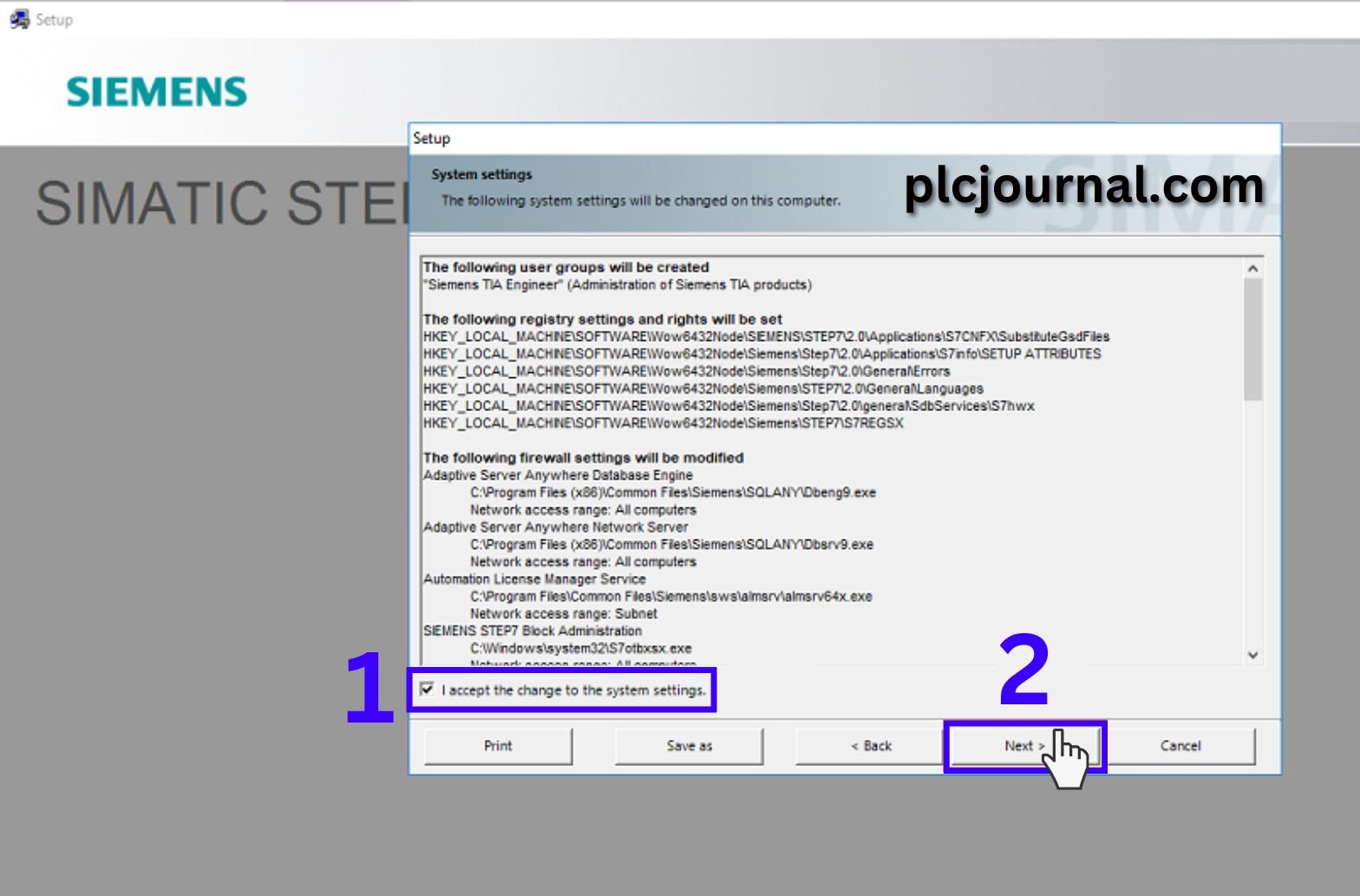
9: Then Click On the Install Button.
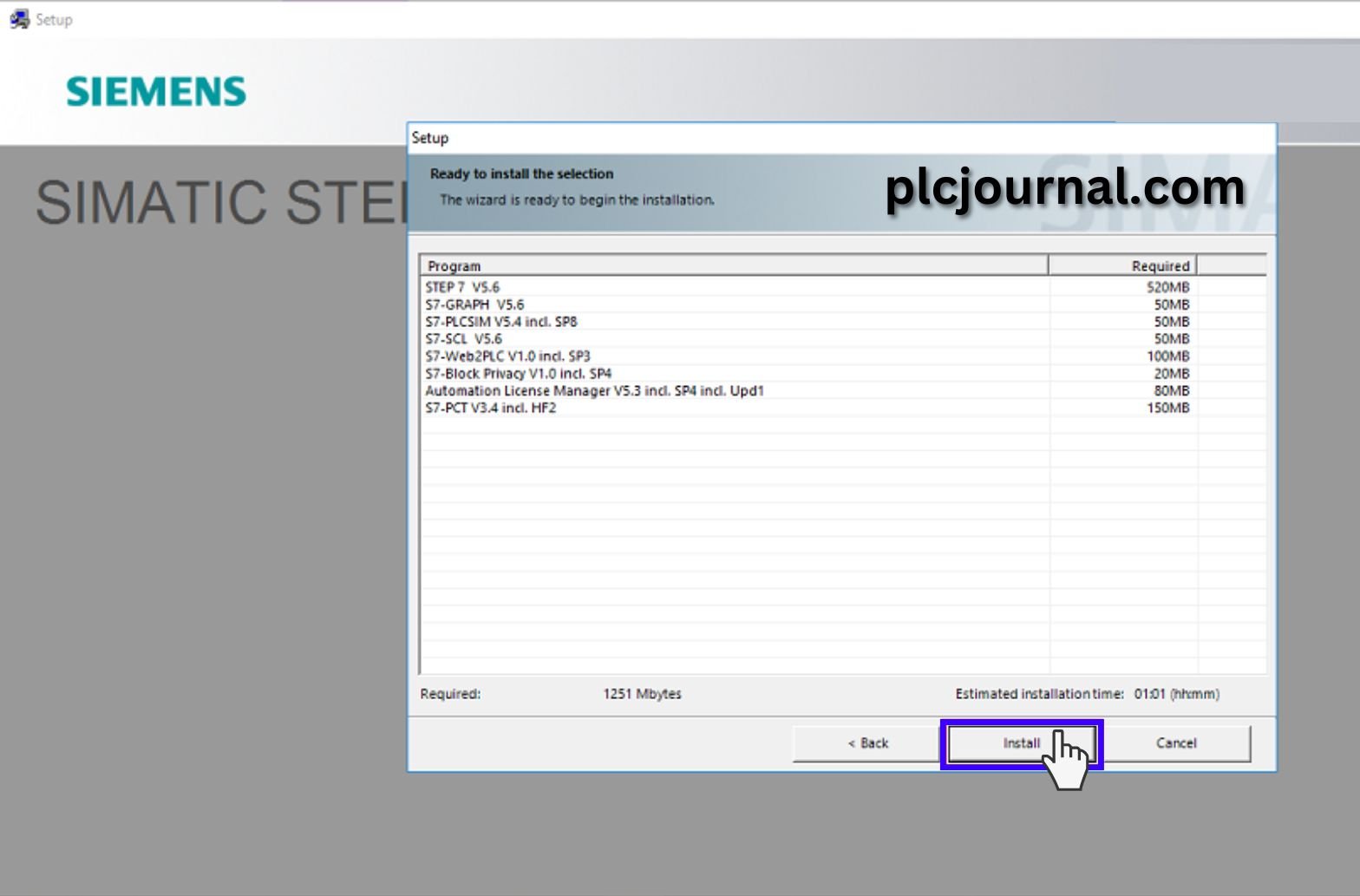
10: Wait for the installation progress.

11: Then Click On the Next Button.

12: Then Click On the Next Button.
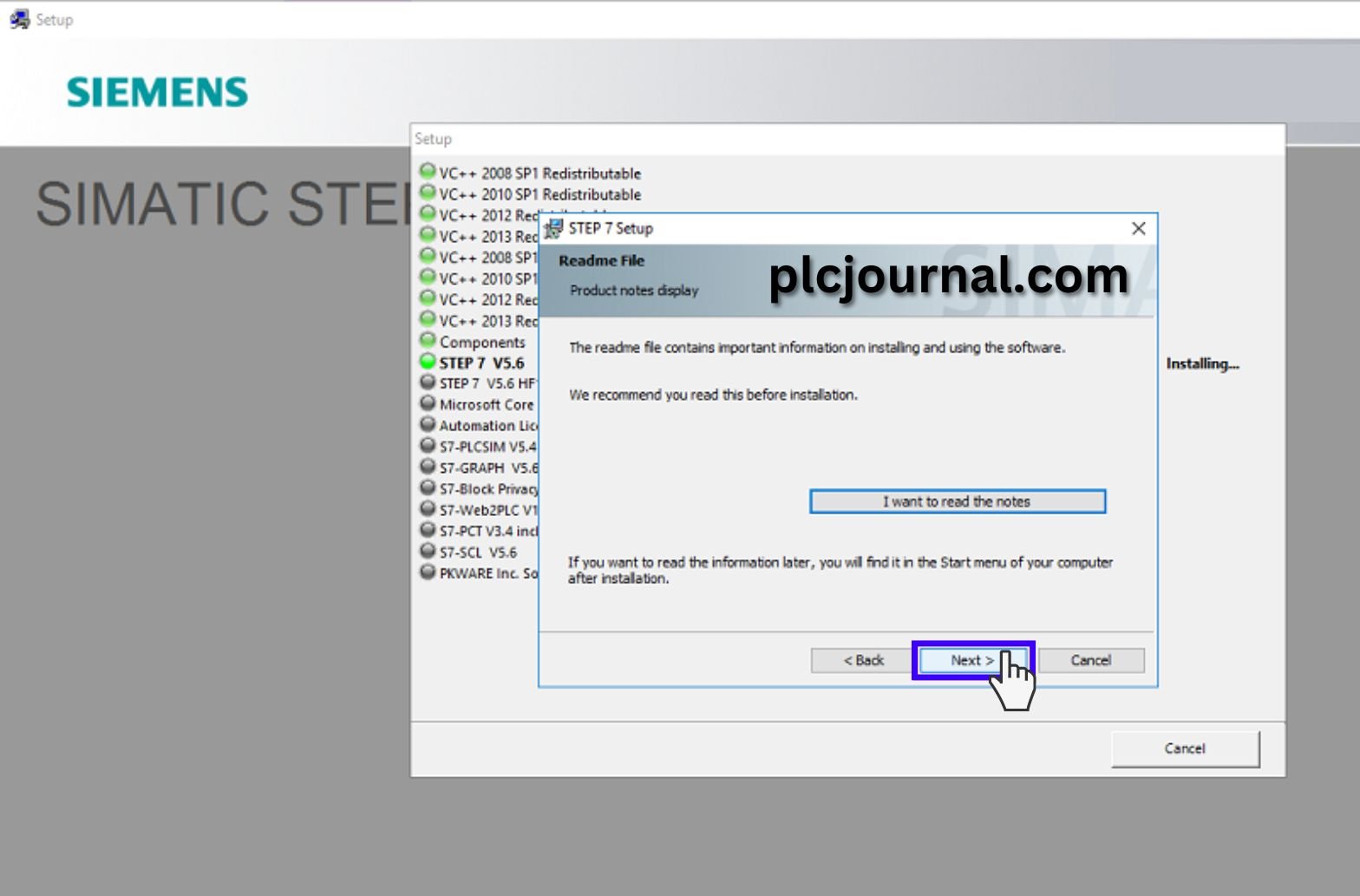
13: Please Enter the following Information. User name and organization section plcjournal.com write down. Then Click On the Next Button.
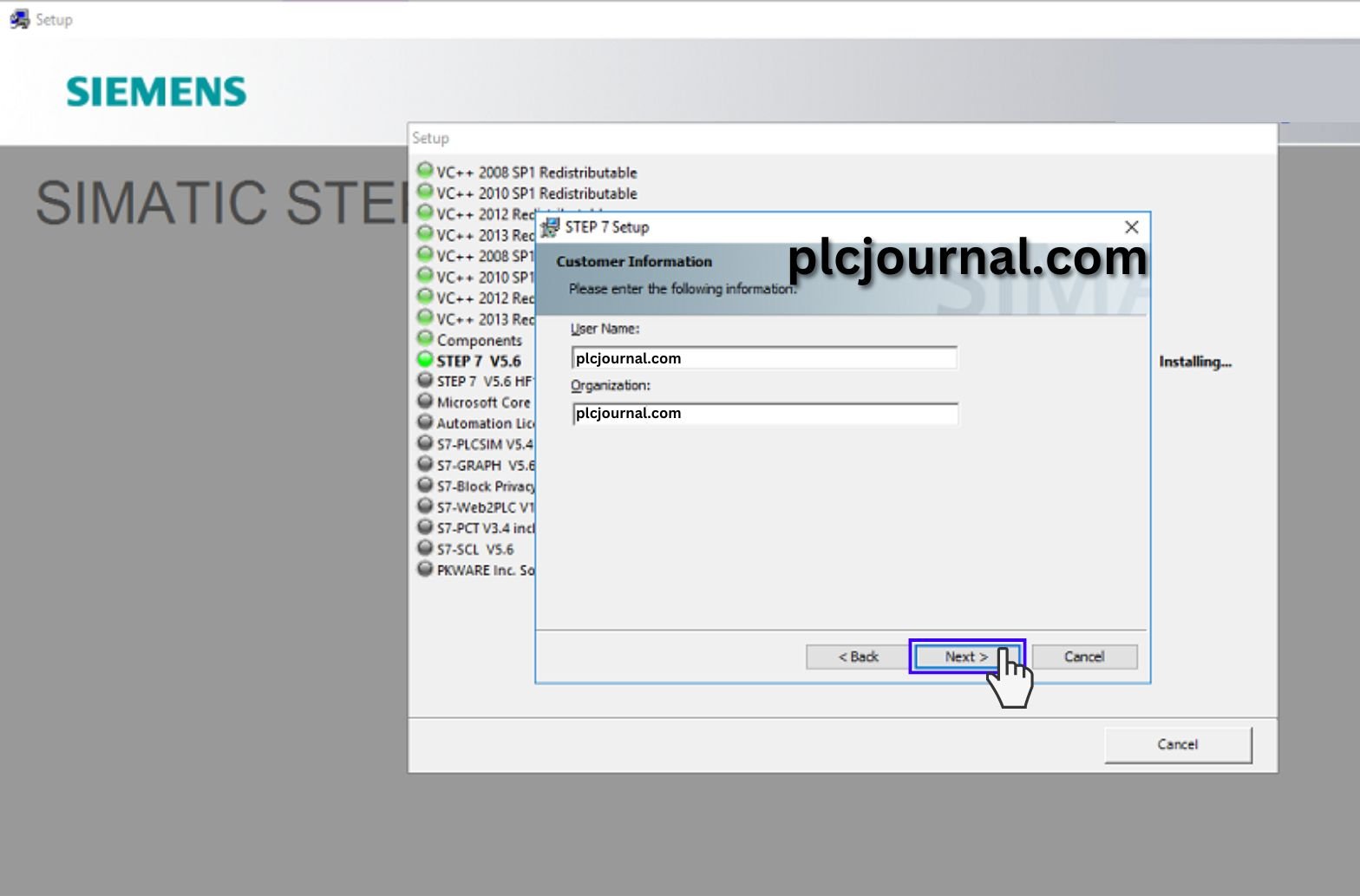
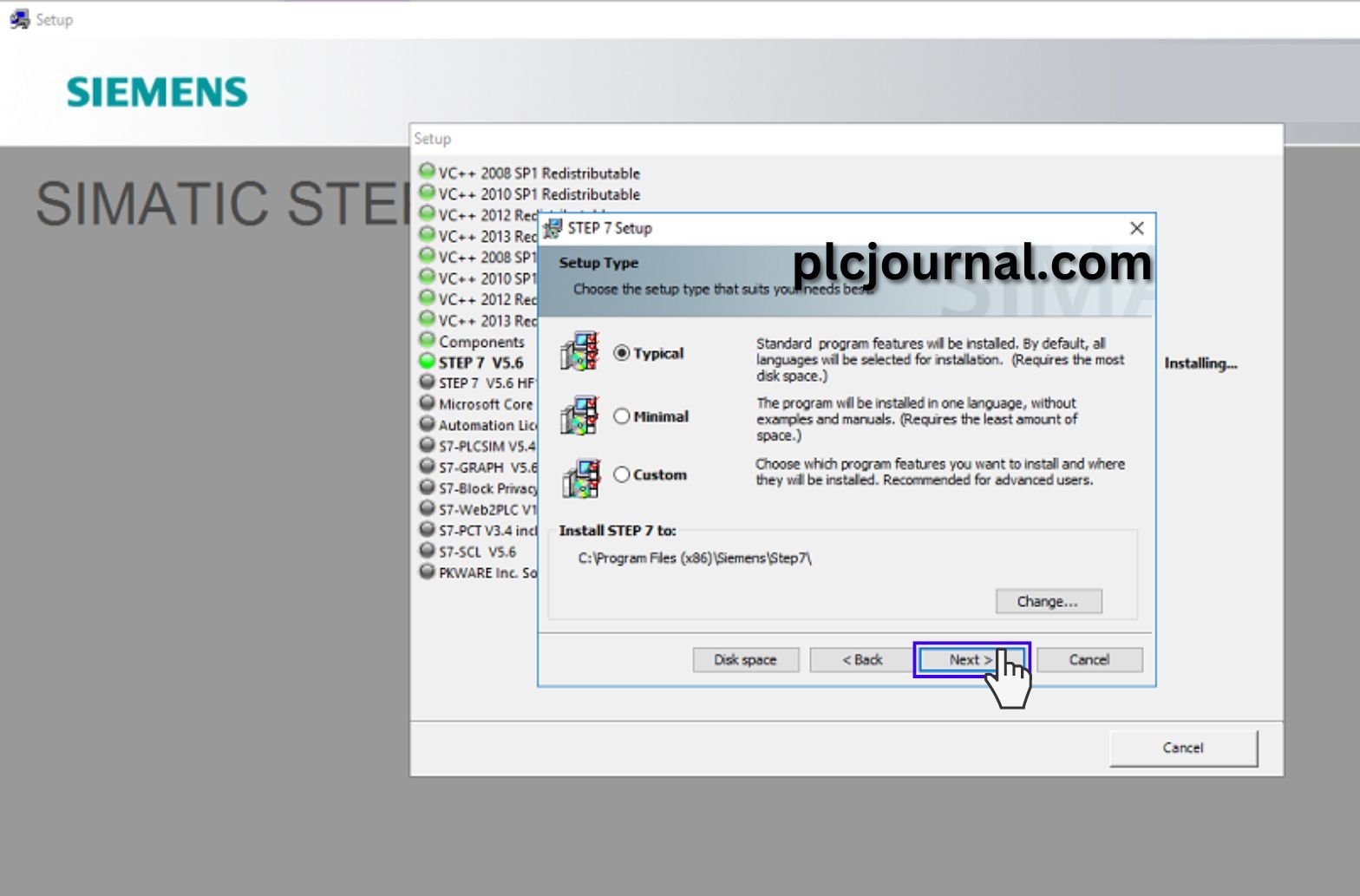
14: Select Typical and Then Click On the Next Button.
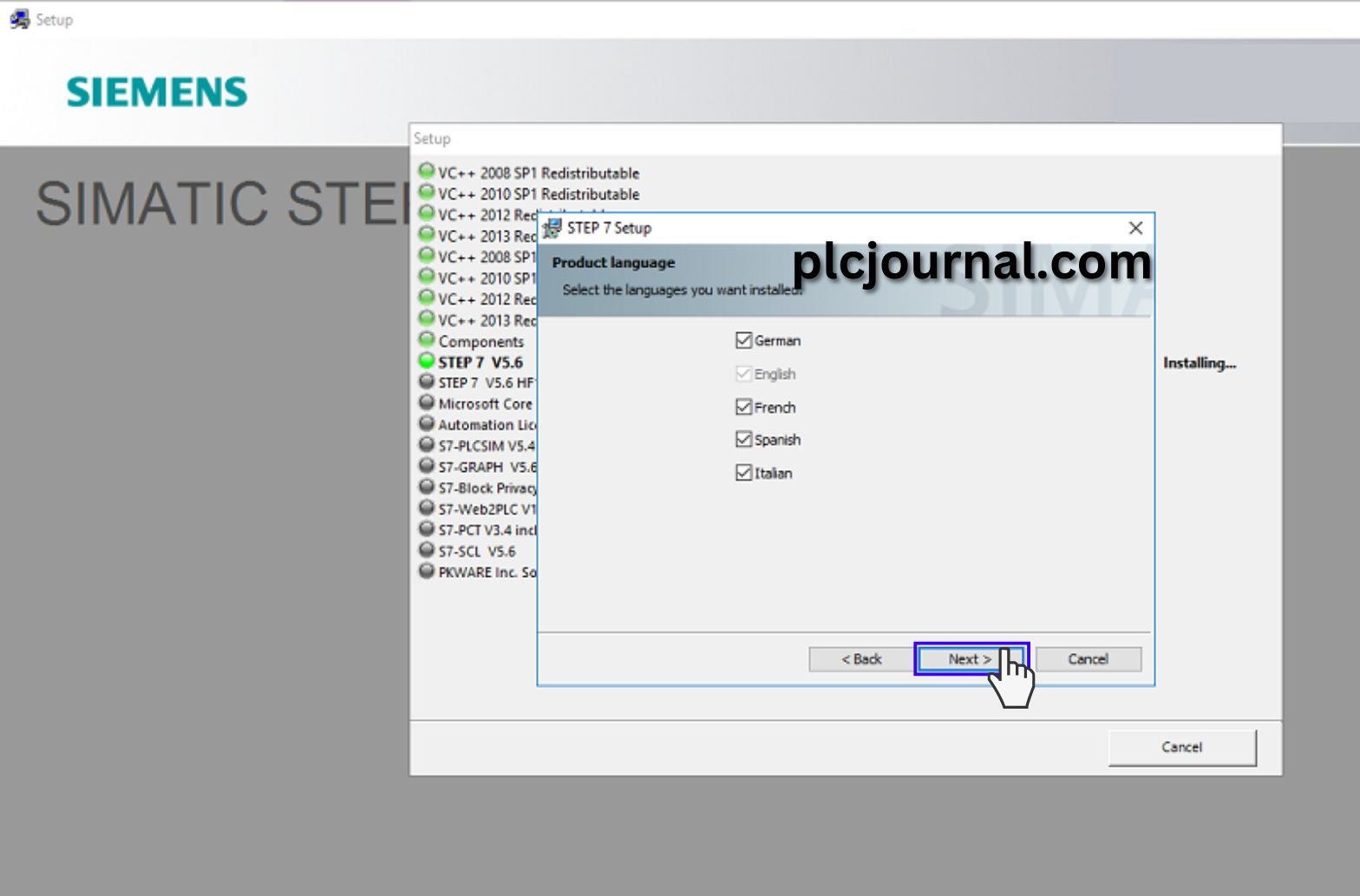
15: Select Product Language and Then Click On the Next Button.
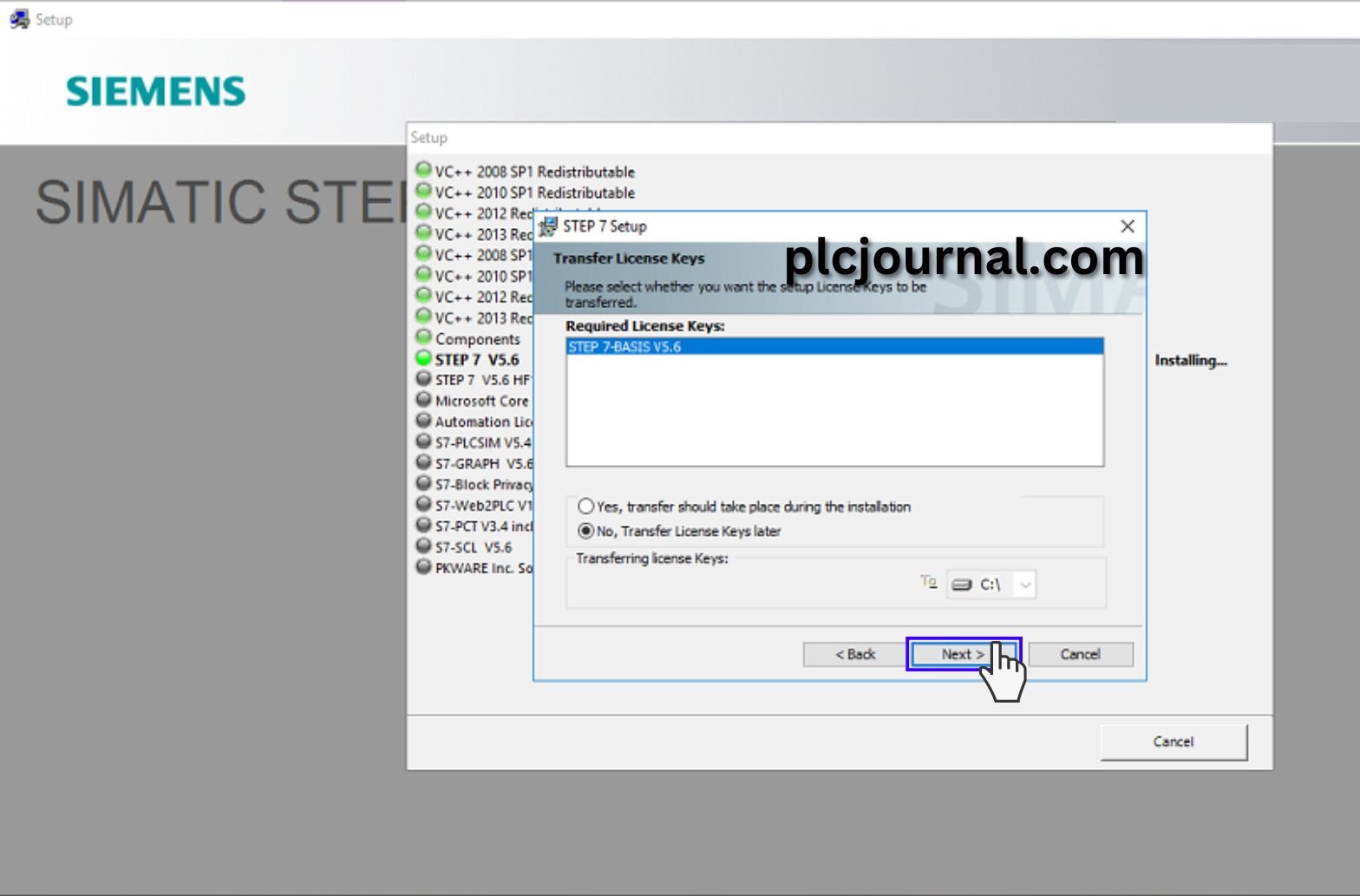
16: Select No, Transfer License Keys later and Then Click On the Next Button.
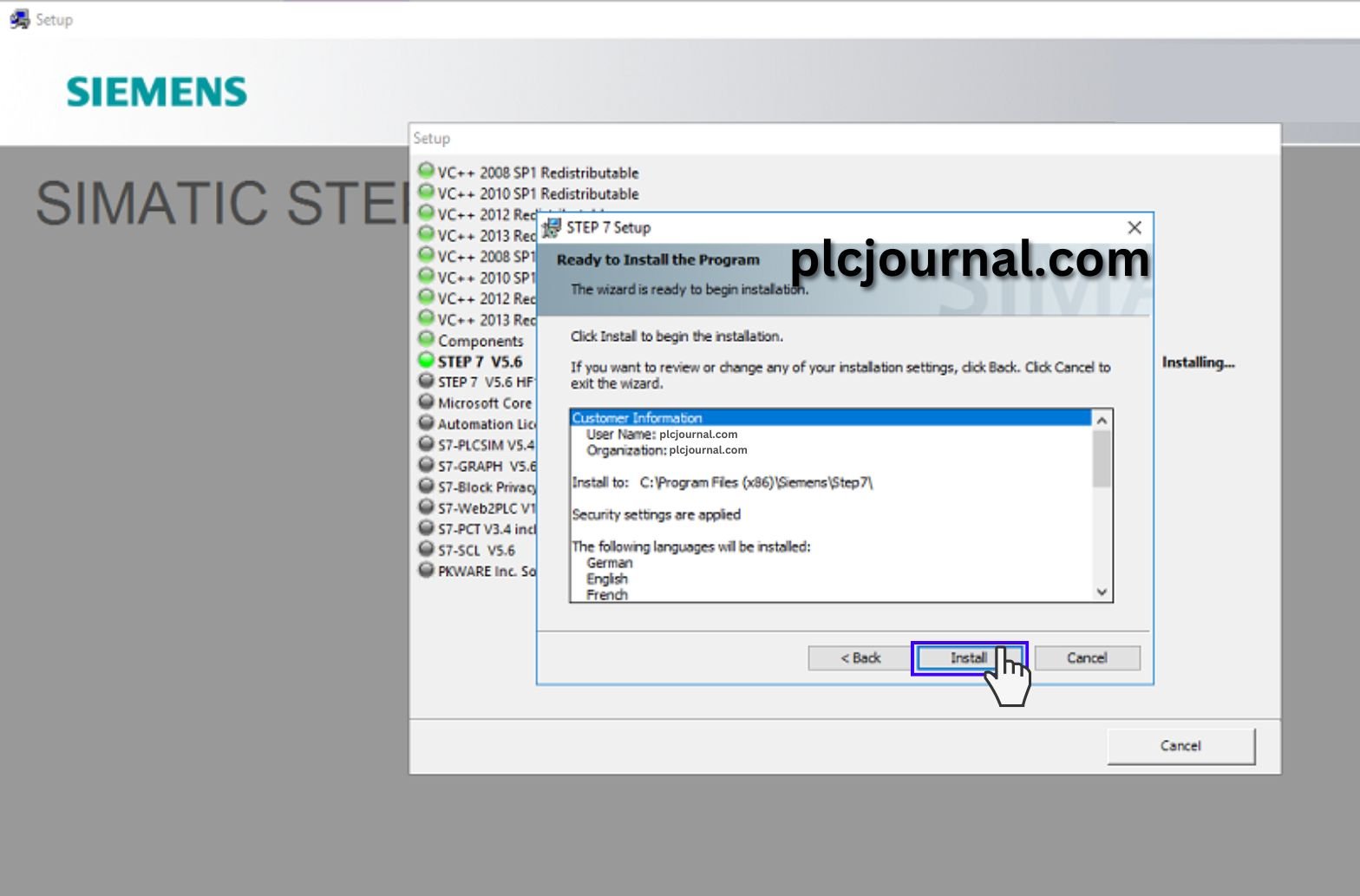
17: Ready to Install the program and Then Click On the Install.
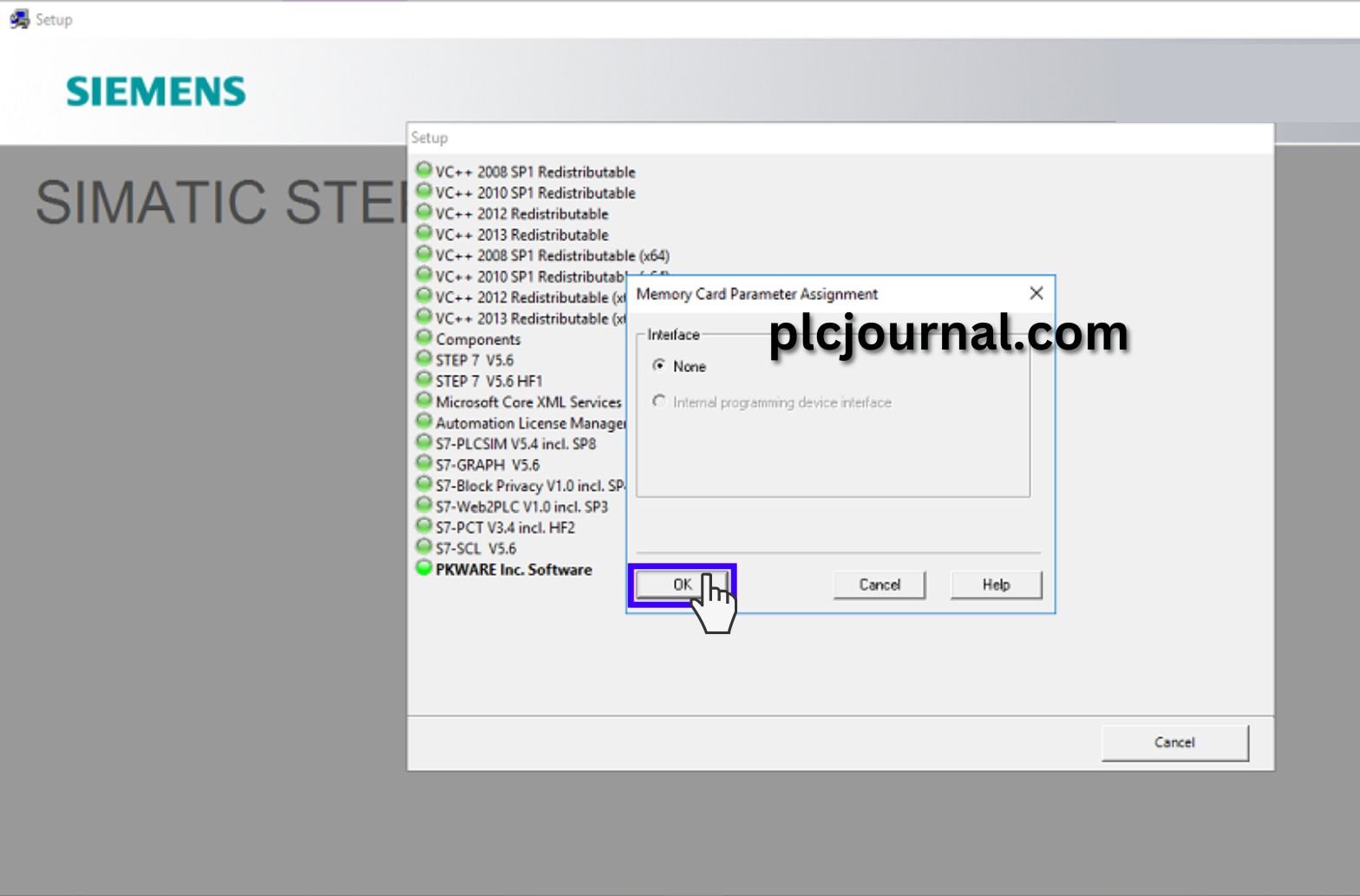
18: Select None and OK.
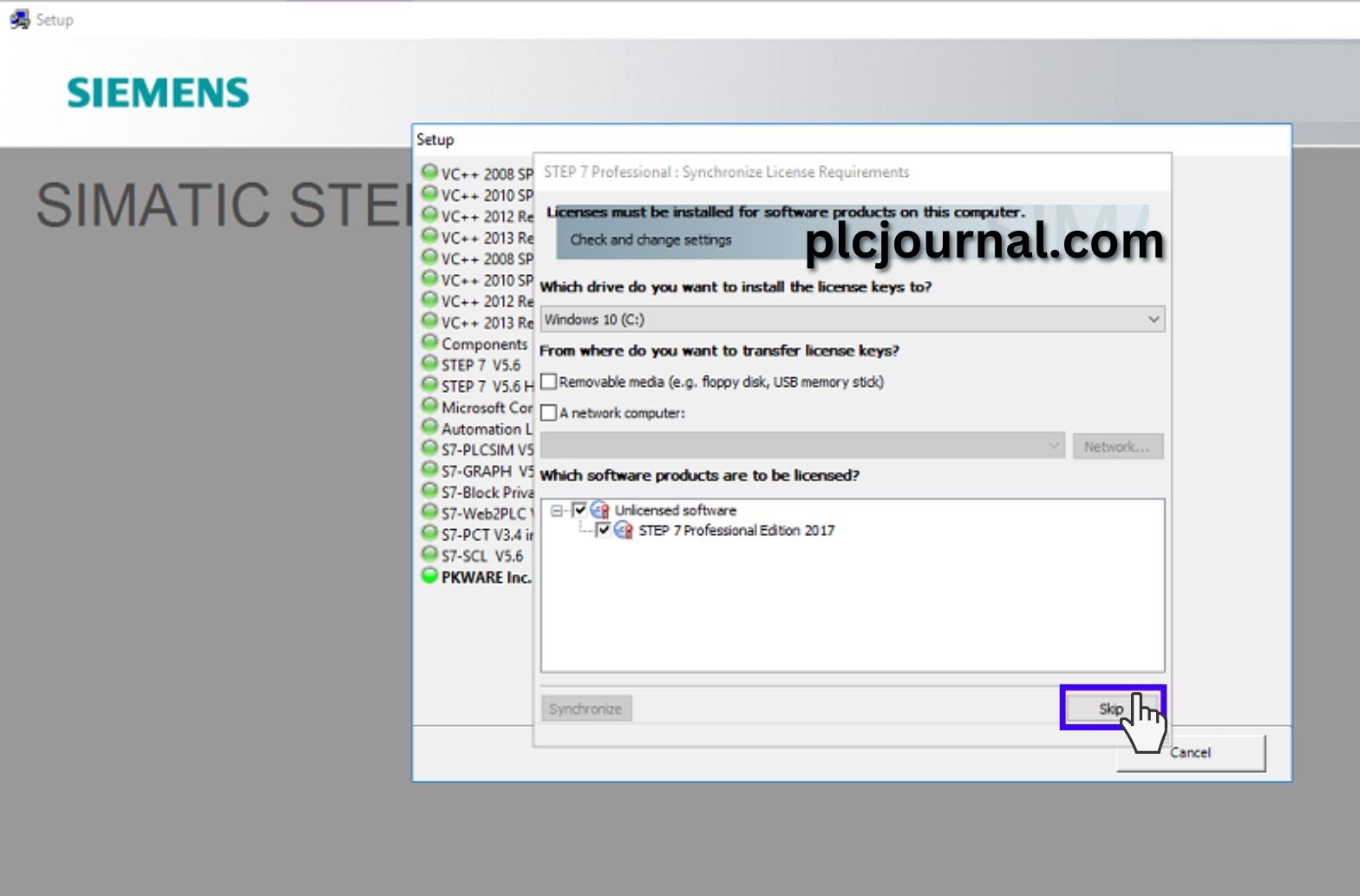
19: Select Unlicensed software and STEP 7 Professional Edition 2017 then Click on Skip.
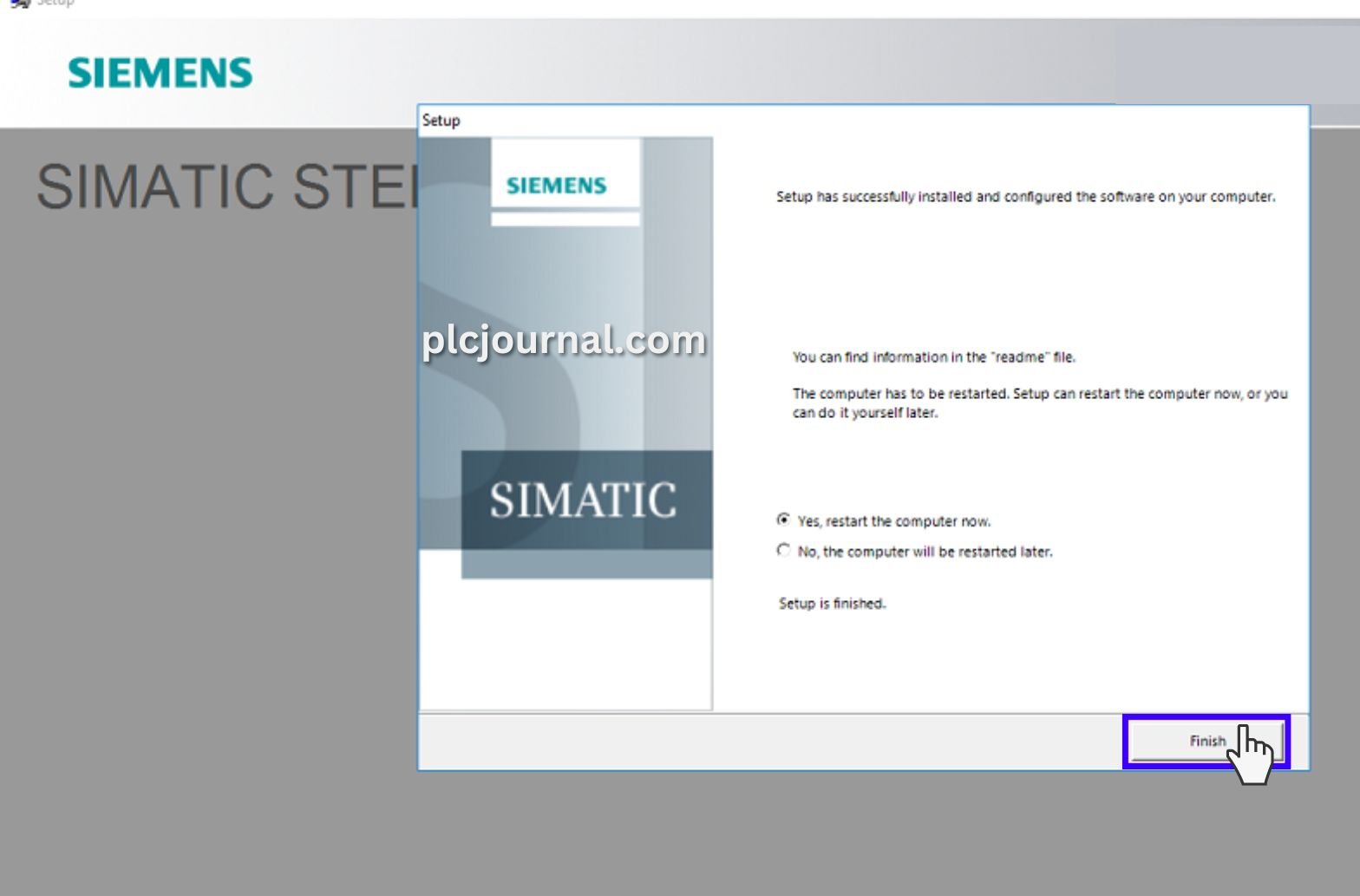
20: Select Yes, restart the computer now. Then Click On the Finish Button. plcjournal.com Highly Recommended restart your computer.
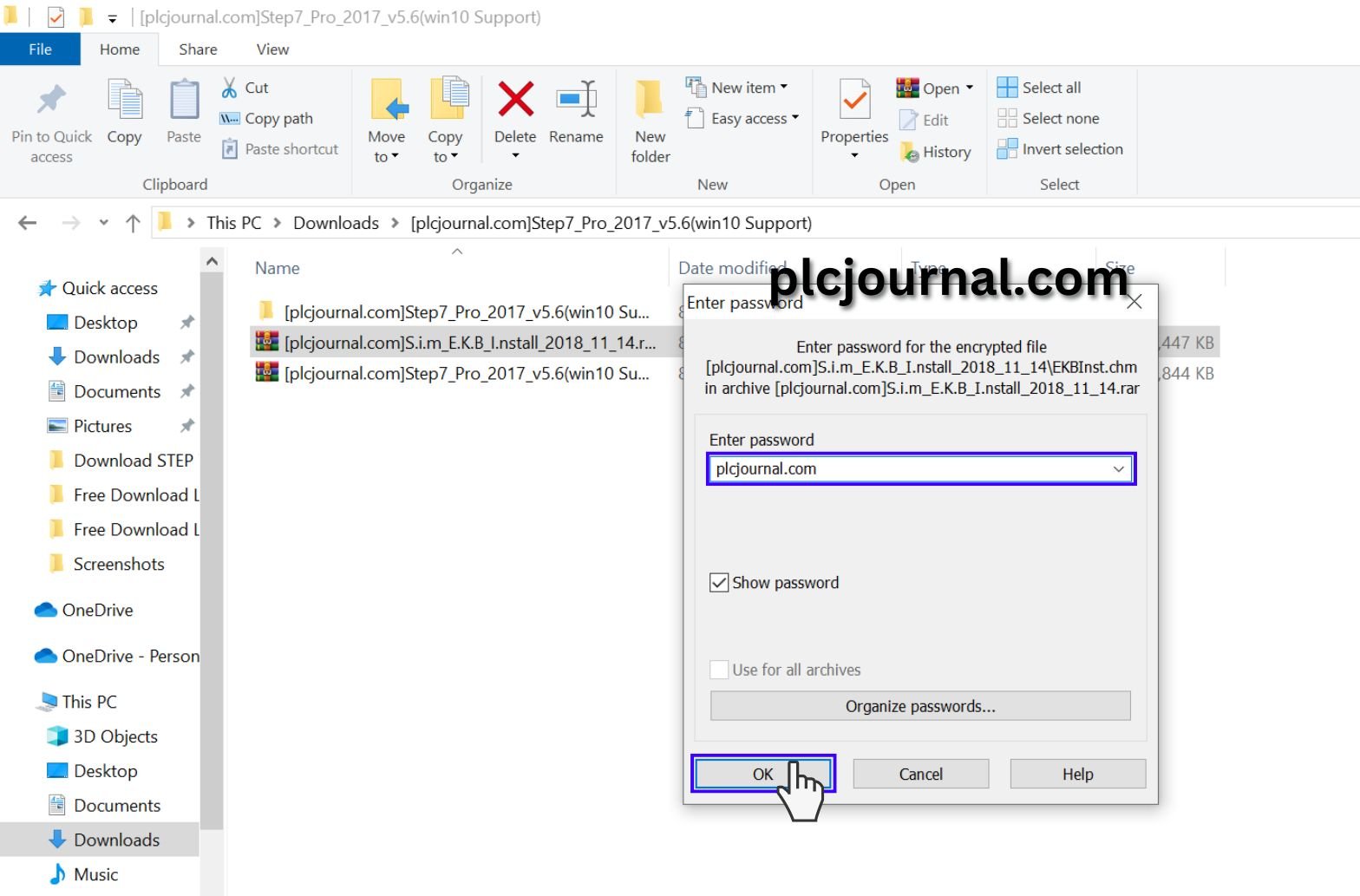
21: Unzip or extract the [pIcjournal.com/S.i.m_E.K.B_Install_2018_11_14\EKBInst.chm
in archive [plcjournal.com/S.i.m_E.K.B_I.nstall_2018_11_14.rar. Click on the ok button with this password plcjournal.com while extracting.
22: Then [pIcjournal.com/S.i.m_E.K.B_Install_2018_11_14 Double Click on open this folder.
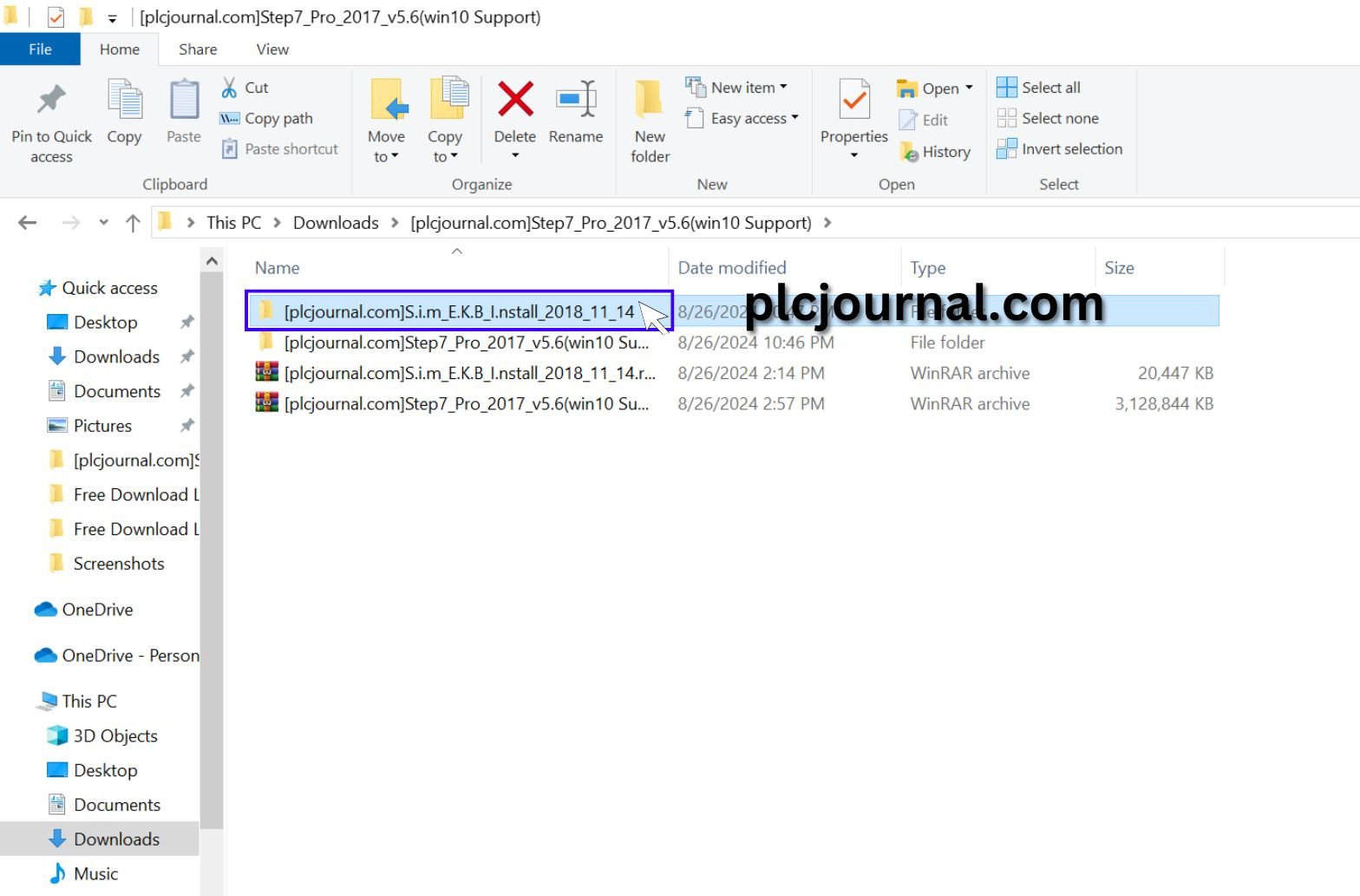
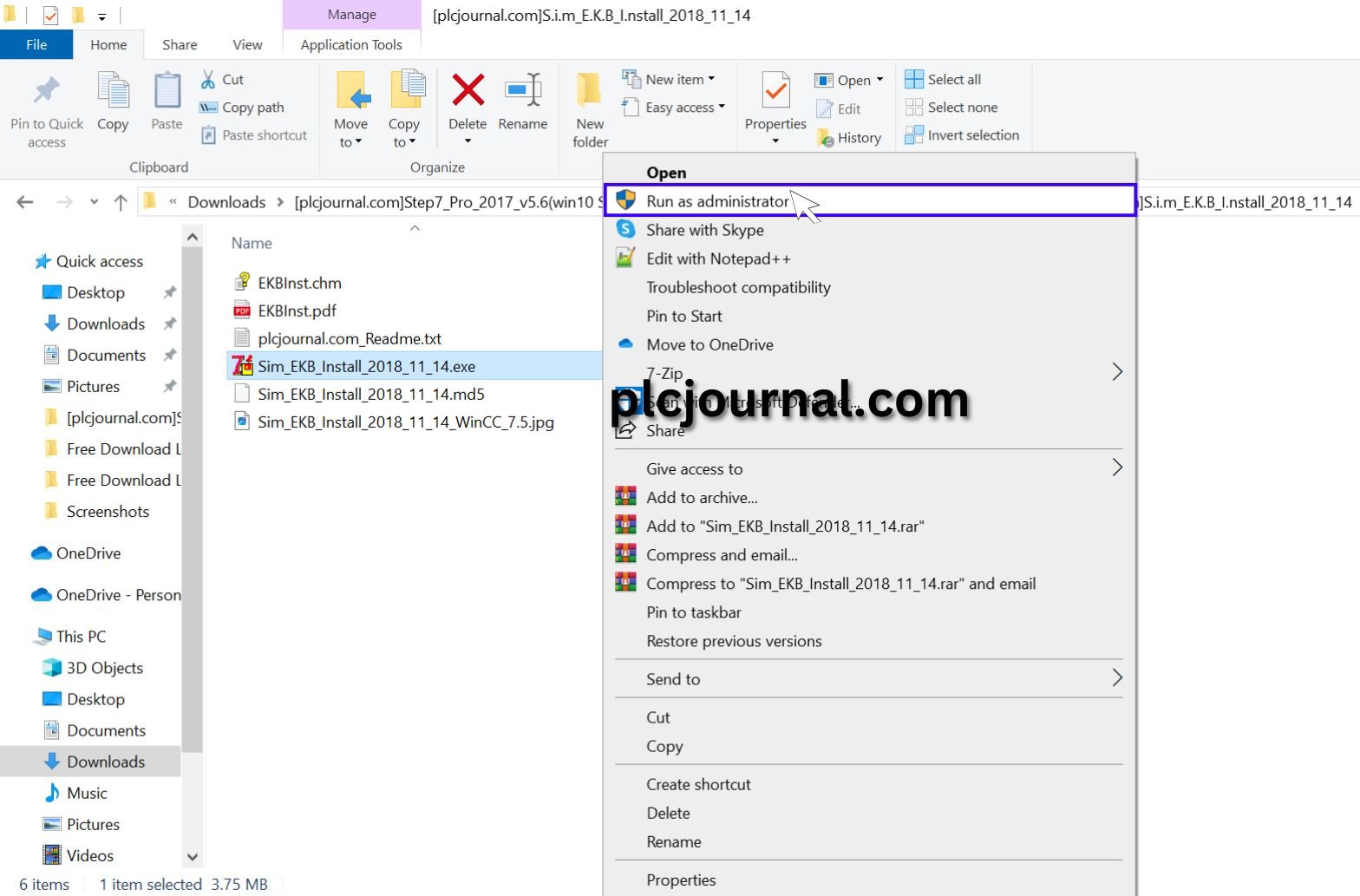
23: Sim_EKB_Install _2018_11_14.exe Place the mouse pointer on this file, click the right button of the mouse. Then click on Run as administrator.
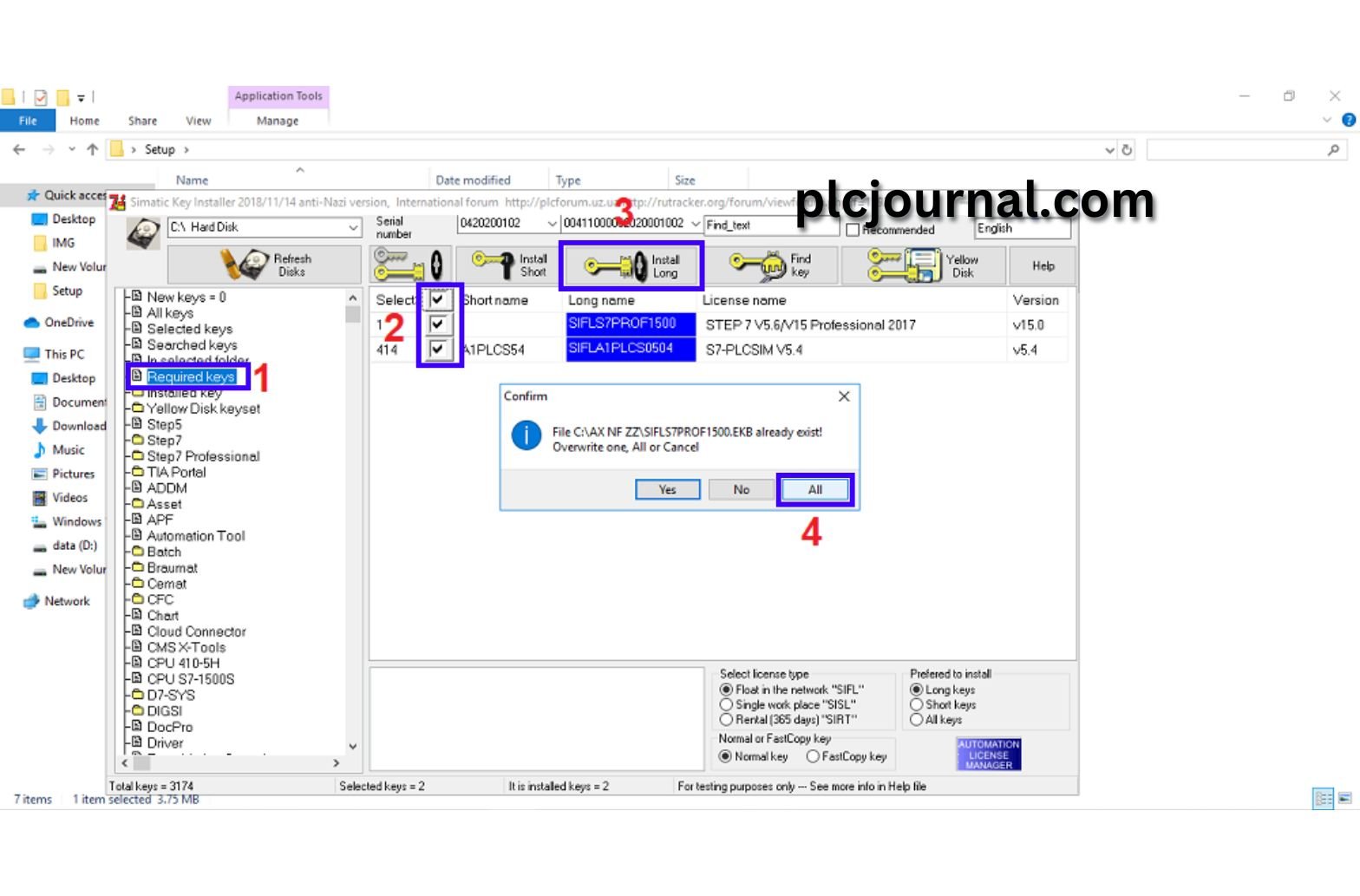
24: Follow the four steps shown below.
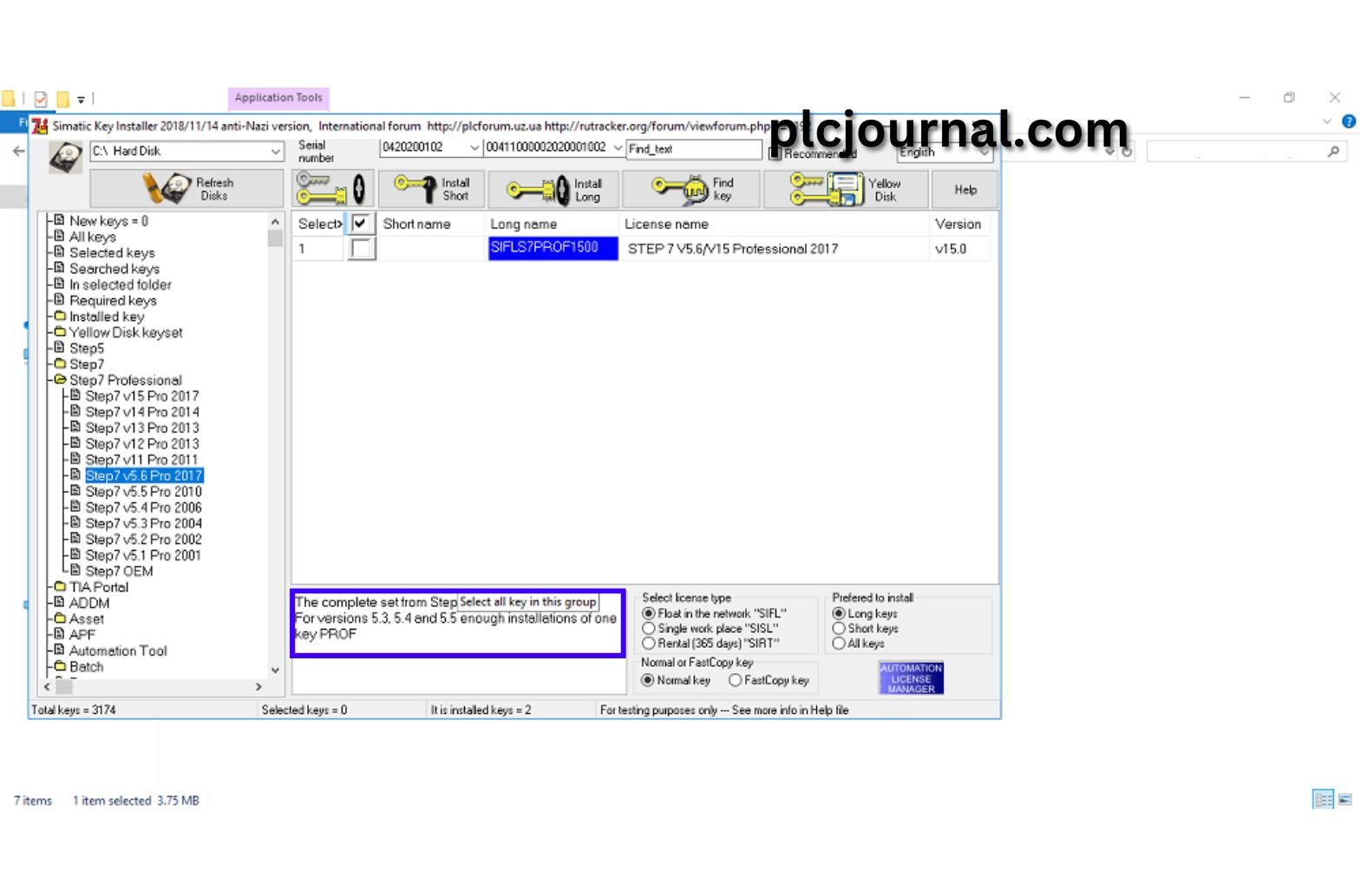
25: The operation of the software has been completed.
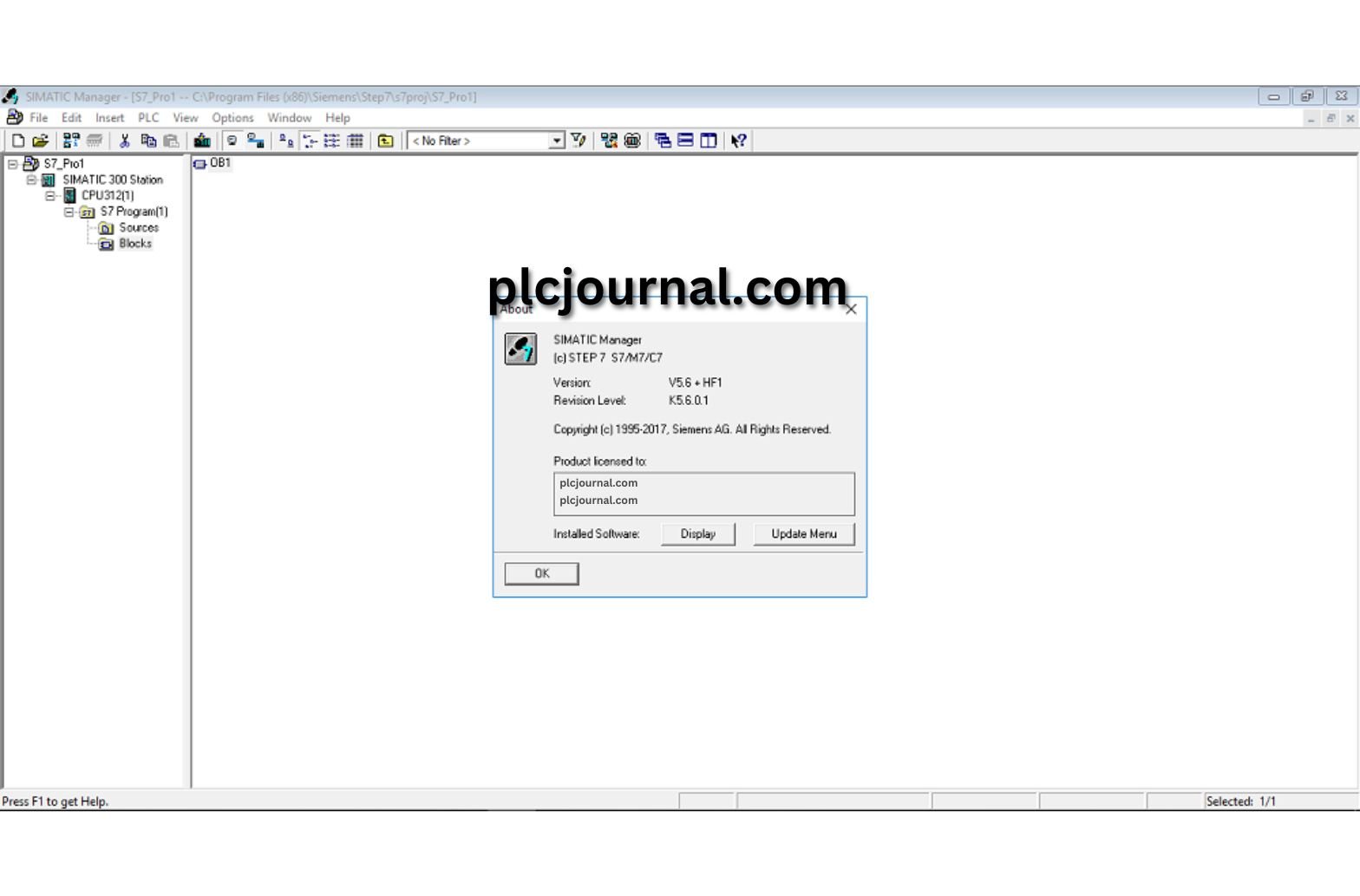
26: Done! Your Step7 V5.6 Win10 Support S7-300, S7-400 PLC Free Download Software is Ready.
Conclusion
Siemens Step7 V5.6 remains one of the most important tools for automation engineers working with S7-300 and S7-400 PLCs. With Windows 10 support, it ensures compatibility with modern systems while providing all the functions needed for programming, diagnostics, and hardware configuration.
Work and enjoy with Free Download Step7 V5.6 Win10 Support S7-300, S7-400 PLC Software. If you found it useful, please comment and share it in the comment section. Through your one share others will also benefit.
Thanks for reading the article completely, friend.

Free Download Step7 V5.6 Win10 Support S7-300, S7-400 PLC Software (Google Drive)
Download Step7-V5.6 Siemens Software
Download “SIM EKB” Step7-V5.6 File.RAR
Password Extract: plcjournal.com




