


TwinCAT 2 Beckhoff Software (The Windows Control and Automation Technology) is widely regarded as the official automation software from Beckhoff. That furthermore, seamlessly transforms any standard PC into a powerful real-time PLC and NC controller. Additionally, it is extensively used across a broad range of applications. Including industrial automation, machine control, robotics, and, moreover, motion applications.
Consequently, its robust and versatile architecture not only ensures exceptional performance. But also provides engineers and developers alike with a highly reliable platform for managing. Even the most demanding automation tasks with remarkable precision and efficiency.
If you are searching for TwinCAT 2 Beckhoff Software Free Download (Google Drive link). Then you are in the right place. In this article, we’ll cover what TwinCAT 2 Beckhoff Software, its features, system requirements, supported hardware, and the download link.
What Is TwinCAT 2 Beckhoff Software?
TwinCAT 2 Beckhoff Software is a remarkably powerful PC-based control software that seamlessly integrates. PLC, Motion Control, NC, and CNC functions into a single, unified environment. Furthermore, by simply installing TwinCAT 2 Beckhoff Software on a standard Windows PC. The system can consequently behave like a fully industrial-grade real-time controller.
Additionally, this highly efficient integration not only eliminates the need for separate hardware controllers. But also, as a result, significantly reduces overall system complexity. Thereby, engineers and developers alike can effortlessly manage and synchronize multiple control functions within one cohesive platform. Ultimately delivering exceptional performance and reliability across all automation applications.
It is a powerful software for:
SCADA and HMI connectivity
PLC programming
Motion and CNC control
Fieldbus communication (EtherCAT, PROFIBUS, etc.)
Key Features of TwinCAT 2 Beckhoff Software:
To understand why TwinCAT 2 Beckhoff Software is so effective, let’s break down its core features:
- IEC 61131-3 PLC Programming encompasses five key languages: first, Ladder Diagram (LD); additionally, Function Block Diagram (FBD); furthermore, Instruction List (IL); moreover, Structured Text (ST); and finally, Sequential Function Chart (SFC) for structured, sequential control logic.
- Real-Time Performance effectively converts standard Windows PCs into high-performance controllers; furthermore, it seamlessly integrates real-time capabilities, thereby ensuring precise timing and, consequently, delivering reliable, deterministic control — ultimately transforming conventional hardware into robust industrial-grade systems.
- Motion Control & CNC efficiently handles complex multi-axis motion; furthermore, it seamlessly manages CNC machines with precision, thereby ensuring synchronized movement, and consequently delivering accurate, reliable machining operations — ultimately transforming standard systems into powerful, high-performance industrial motion controllers.
- Fieldbus Support extensively covers a wide range of industrial protocols; specifically, EtherCAT, furthermore PROFIBUS, additionally CANopen, as well as DeviceNet, and moreover numerous others — thereby ensuring seamless, reliable communication and consequently enabling robust connectivity across diverse industrial network environments.
- Multi-Tasking efficiently runs multiple PLC tasks simultaneously in real time; furthermore, it seamlessly manages concurrent processes, thereby ensuring precise execution, and consequently delivering reliable, uninterrupted performance – ultimately enabling complex industrial systems to operate smoothly and effectively without compromise.
- Integration with HMI/SCADA seamlessly enables easy communication with visualization tools; furthermore, it effortlessly connects monitoring systems, thereby ensuring real-time data exchange, and consequently delivering clear, accurate insights — ultimately allowing operators to effectively manage and visualize complex industrial processes with confidence.
- Wide Hardware Support comprehensively works with Beckhoff IPCs; furthermore, it seamlessly integrates with Embedded PCs, and additionally accommodates various I/O modules – thereby ensuring broad compatibility, and consequently delivering flexible, scalable solutions that ultimately adapt to diverse industrial hardware configurations with ease.
System Requirements for TwinCAT 2 Beckhoff Software
Before installing TwinCAT 2 Beckhoff Software, check the minimum system requirements:
- Operating System: Windows XP, Windows 7, Windows 10 (32/64-bit)
- Processor: Intel Pentium IV or higher (Core i3/i5/i7 recommended)
- RAM: 2 GB minimum (4 GB recommended)
- Disk Space: 2 GB free
- Network: Ethernet port (for EtherCAT communication)
- USB Port: For license dongle (if required)
Why Should You Choose TwinCAT 2?
Regarding industrial automation, TwinCAT 2 Beckhoff Software consistently delivers exceptional efficiency, remarkable scalability, and unwavering reliability; furthermore, it seamlessly integrates advanced capabilities, thereby empowering you to consequently achieve optimized performance – ultimately enabling you to:
- Save Costs: As you will clearly see, PC-based automation effectively helps to significantly minimize the use of additional hardware gadgets; furthermore, it consequently reduces overall expenditure, thereby delivering substantial cost savings — ultimately making industrial automation considerably more affordable and economically efficient.
- Scale Easily: Remarkably applicable to both small systems and, furthermore, full-scale industries; additionally, it seamlessly adapts to growing demands, thereby ensuring flexible expansion, and consequently delivering consistent performance — ultimately making it an ideal solution for businesses of every size and complexity.
- Simplify Your Workflow: The intuitive graphics and, furthermore, convenient keyboard shortcuts effectively make your work considerably easier; additionally, with its comprehensive Libraries already pre-installed, it consequently becomes significantly faster — thereby ultimately streamlining your entire workflow and boosting overall productivity effortlessly.
- Achieve Precise Results: Its exceptional real-time performance thereby consistently ensures that the control of your systems is remarkably accurate and, furthermore, highly reliable; additionally, it seamlessly maintains precision, consequently delivering dependable outcomes – ultimately enabling you to confidently achieve superior, exact results every time.
How to Download TwinCAT 2 Beckhoff Software
Are you excited to use TwinCAT 2 Beckhoff Software Beckhoff Software for your automation projects? Don’t worry; downloading it is easier than you think! Just follow these steps:
Step-by-Step Guide to Download TwinCAT 2 Beckhoff Software:
- Visit Beckhoff’s Official Website: First and foremost, visit Beckhoff’s official website, which is, furthermore, always the most trusted and reliable source for their software; additionally, it consistently provides accurate information, thereby ensuring you consequently access only the most authentic and up-to-date resources available.
- Search for TwinCAT 2: Next, conveniently use the website’s search bar, located furthermore at the top, to accurately input the phrase “TwinCAT 2”; additionally, this consequently directs you precisely to the right page, thereby ensuring you efficiently locate all relevant and available resources.
- Find the Download Section: Once you successfully land on the software’s page, furthermore, carefully look for the clearly listed download section; additionally, this consequently directs you precisely to all available files, thereby ensuring you efficiently locate and access the correct downloads without any unnecessary confusion.
- Choose the Right Version: Carefully select the best version compatible with your operating system; furthermore, ensure thorough compatibility, as it is, additionally, absolutely key — thereby consequently avoiding potential conflicts and ultimately ensuring smooth, seamless installation and optimal performance across your entire system effectively.
- Download and Save It: Finally, click the download button and save the file to your computer. That’s it!
Struggling to Find It?
Sometimes, navigating official sites can be tricky, and we get it. If you’re having trouble locating TwinCAT 2 Beckhoff Software on Beckhoff’s website, we’ve got your back! Use the Google Drive link below for a fast and secure download. No headaches, no delays – click and go.
Why Download from Us?
Here’s why our download option stands out:
- You get direct access through a secure and fast Google Drive link.
- You can download the software quickly without unnecessary steps.
- The package includes all the files you need to get started right away.
How to Install TwinCAT 2 Beckhoff Software in 10 Simple Steps
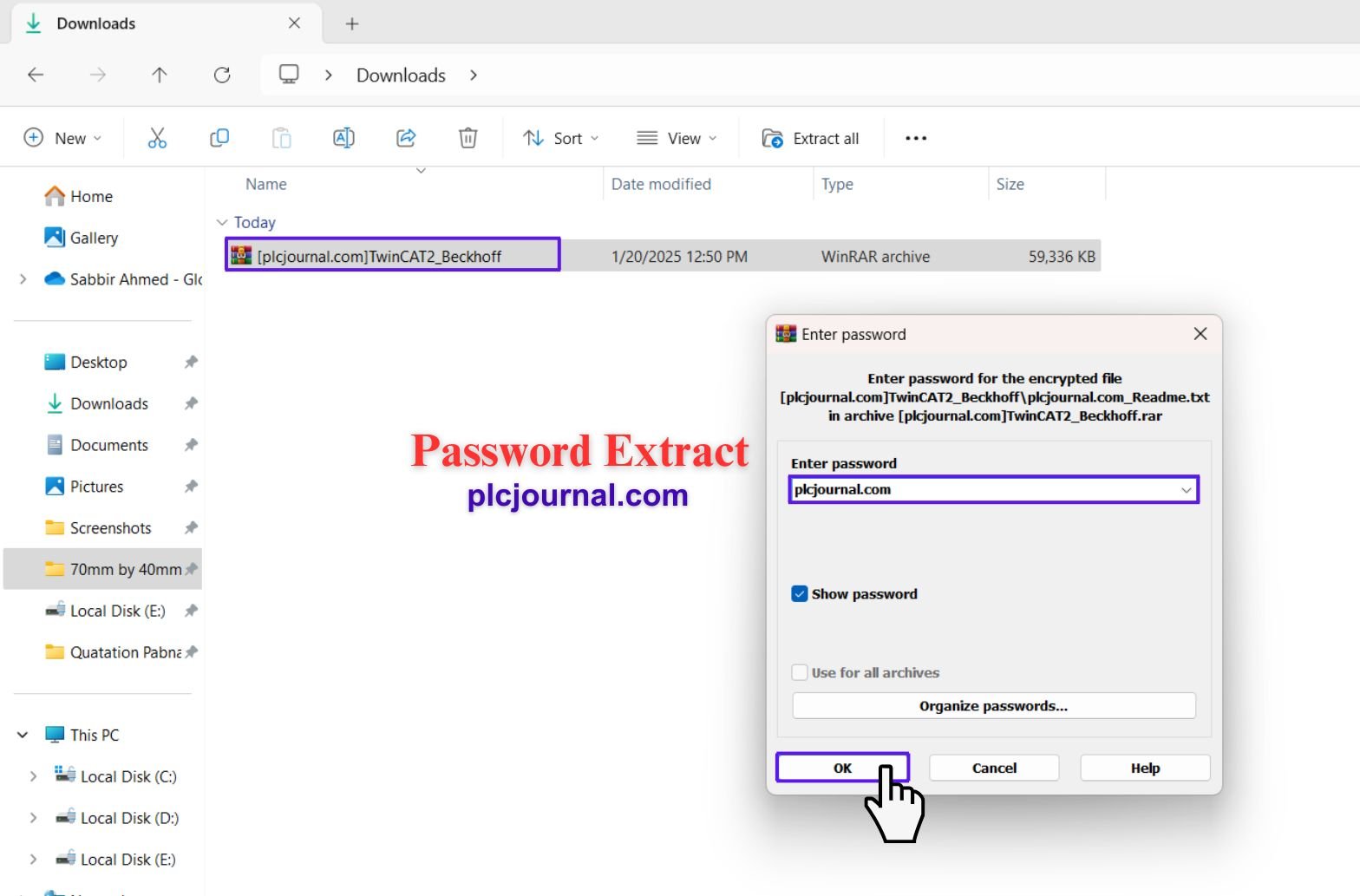
Start by first downloading the TwinCAT 2 Beckhoff Software from the provided Google Drive link; furthermore, once successfully downloaded, additionally use the password “plcjournal.com” to consequently unlock the file – thereby ensuring you can smoothly and securely proceed with the installation process effectively.
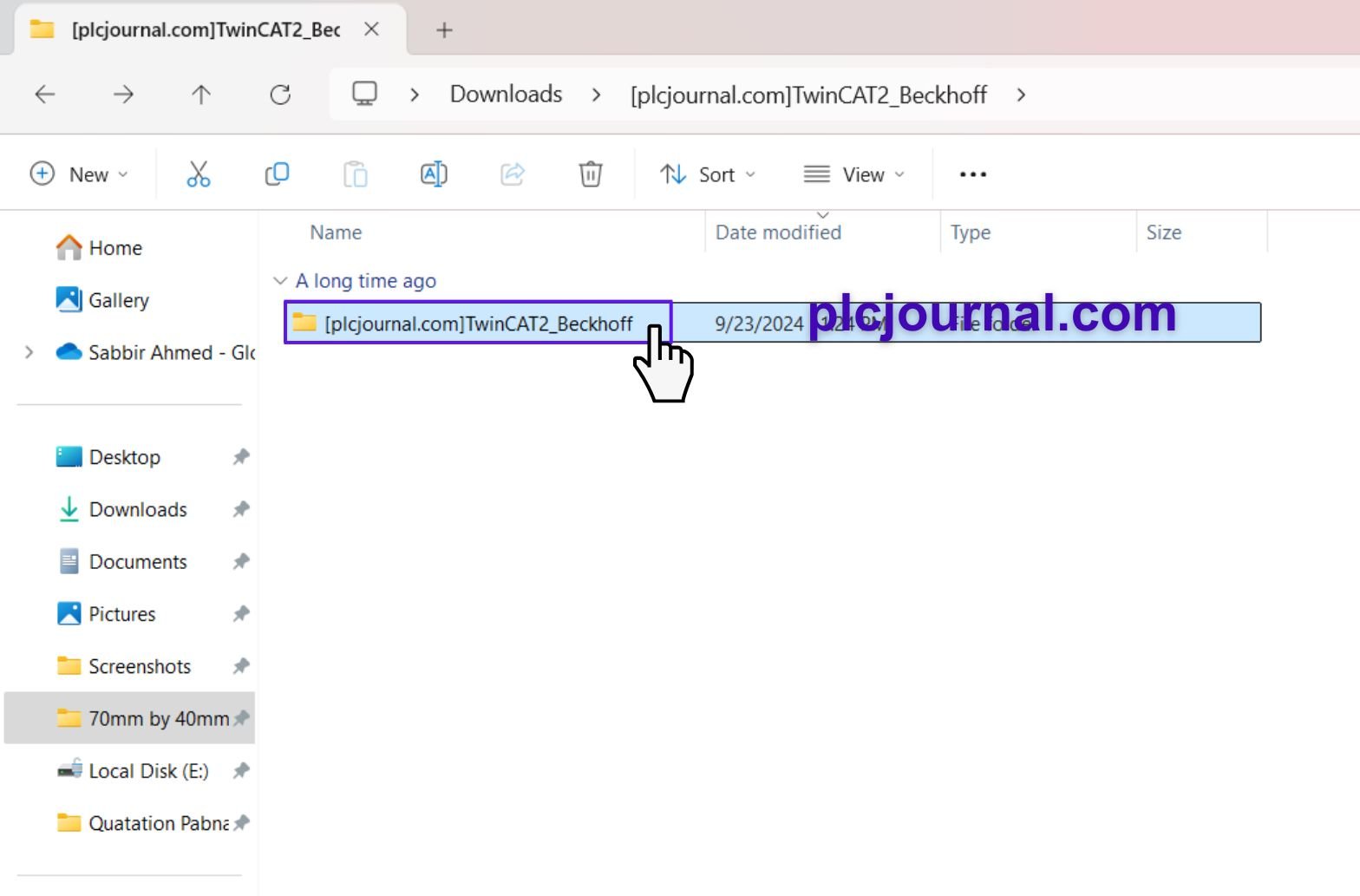
2. After unlocking, find the folder named “TwinCAT2_Beckhoff” and double-click to open it.
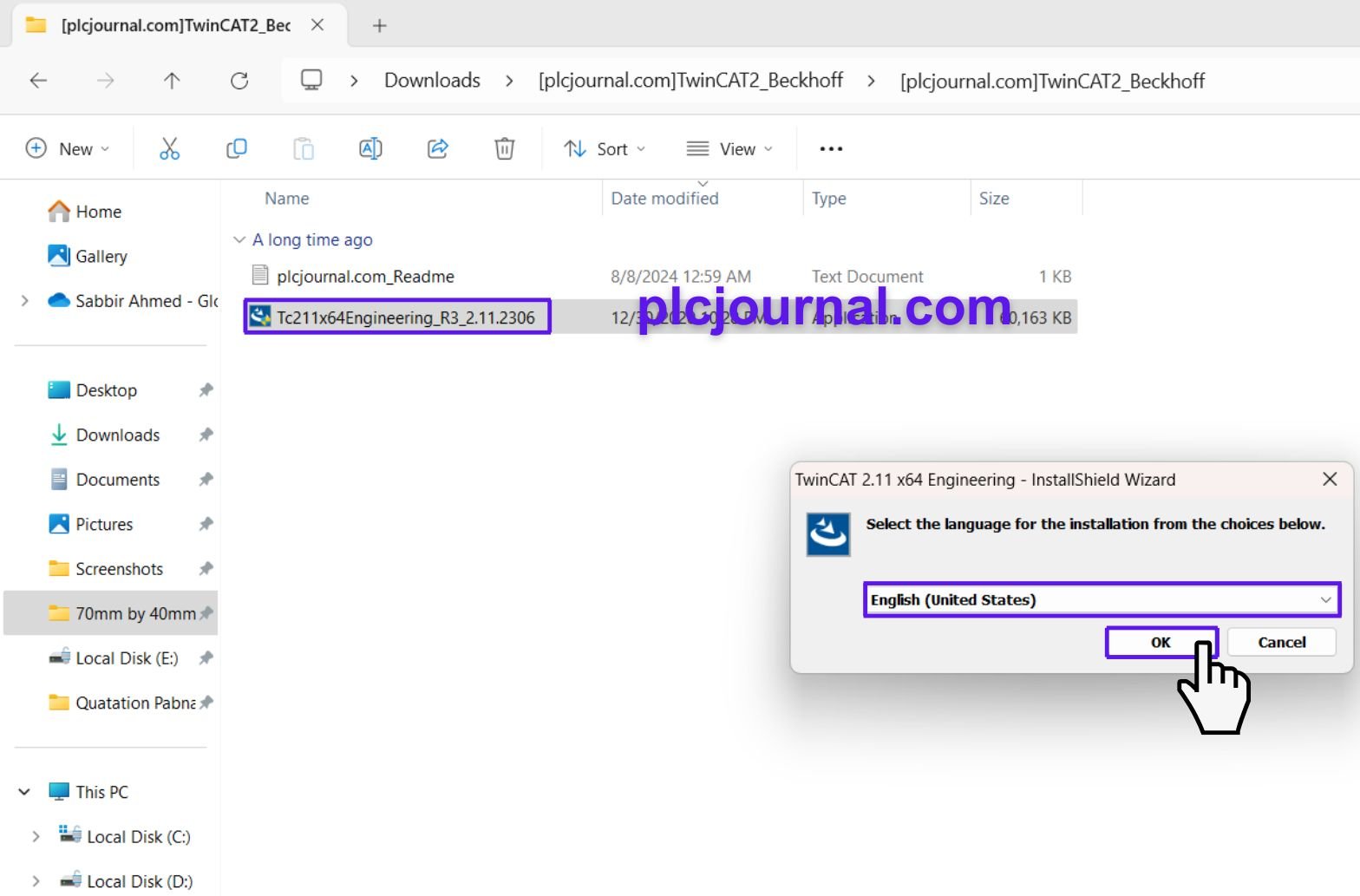
3. Inside the folder, look for the file named “Tc211x64Engineering_R3_2.11.2306”. Double-click it to begin the installation process.
4. A window will pop up asking you to choose your language. Select your preferred language and click OK.
5. The setup wizard will open. Please select the Next button on the welcome screen to continue.
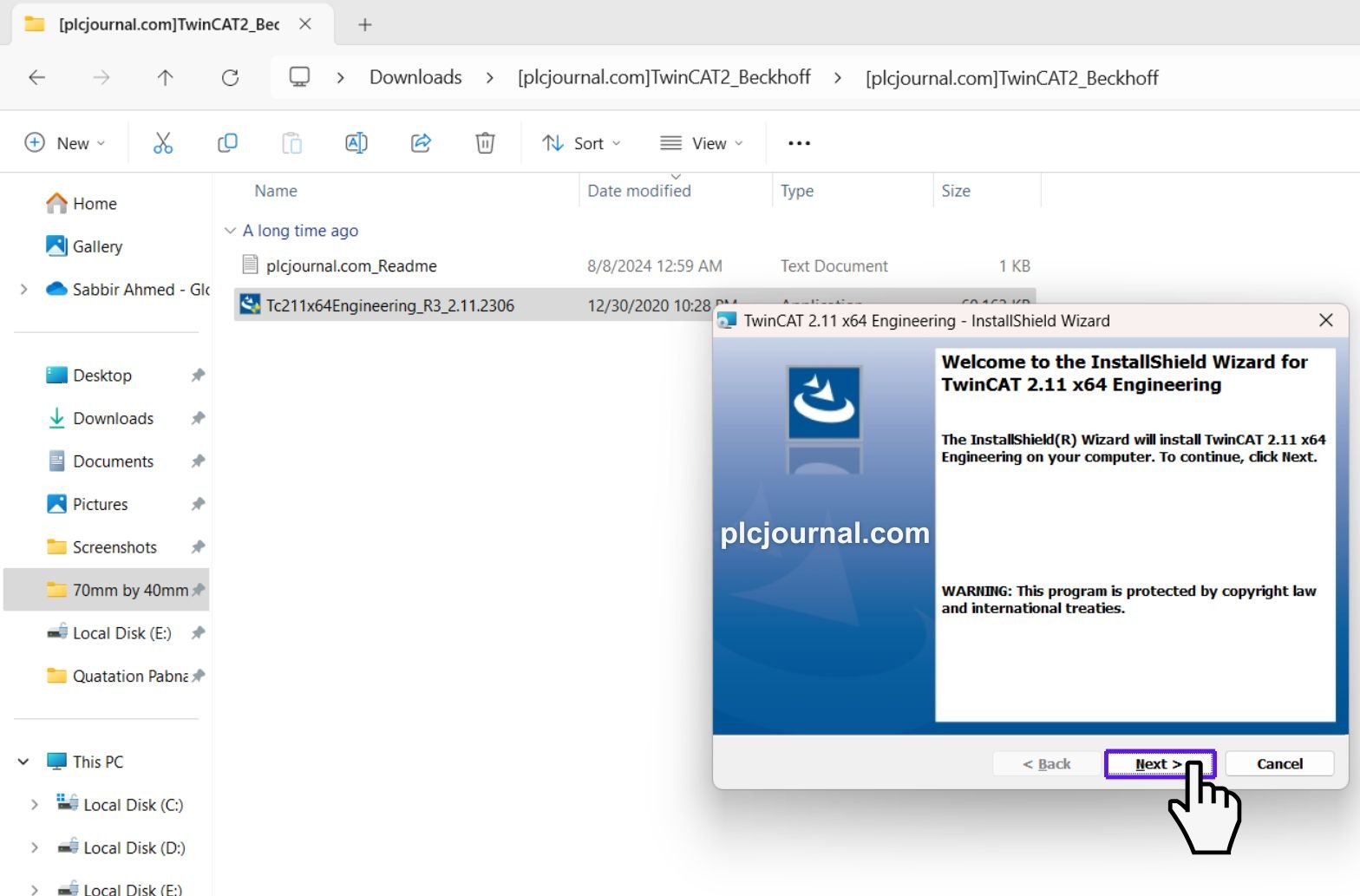
6. You’ll see the license agreement next. Read it (or skim it!), then accept the terms by checking the box, and click Next.
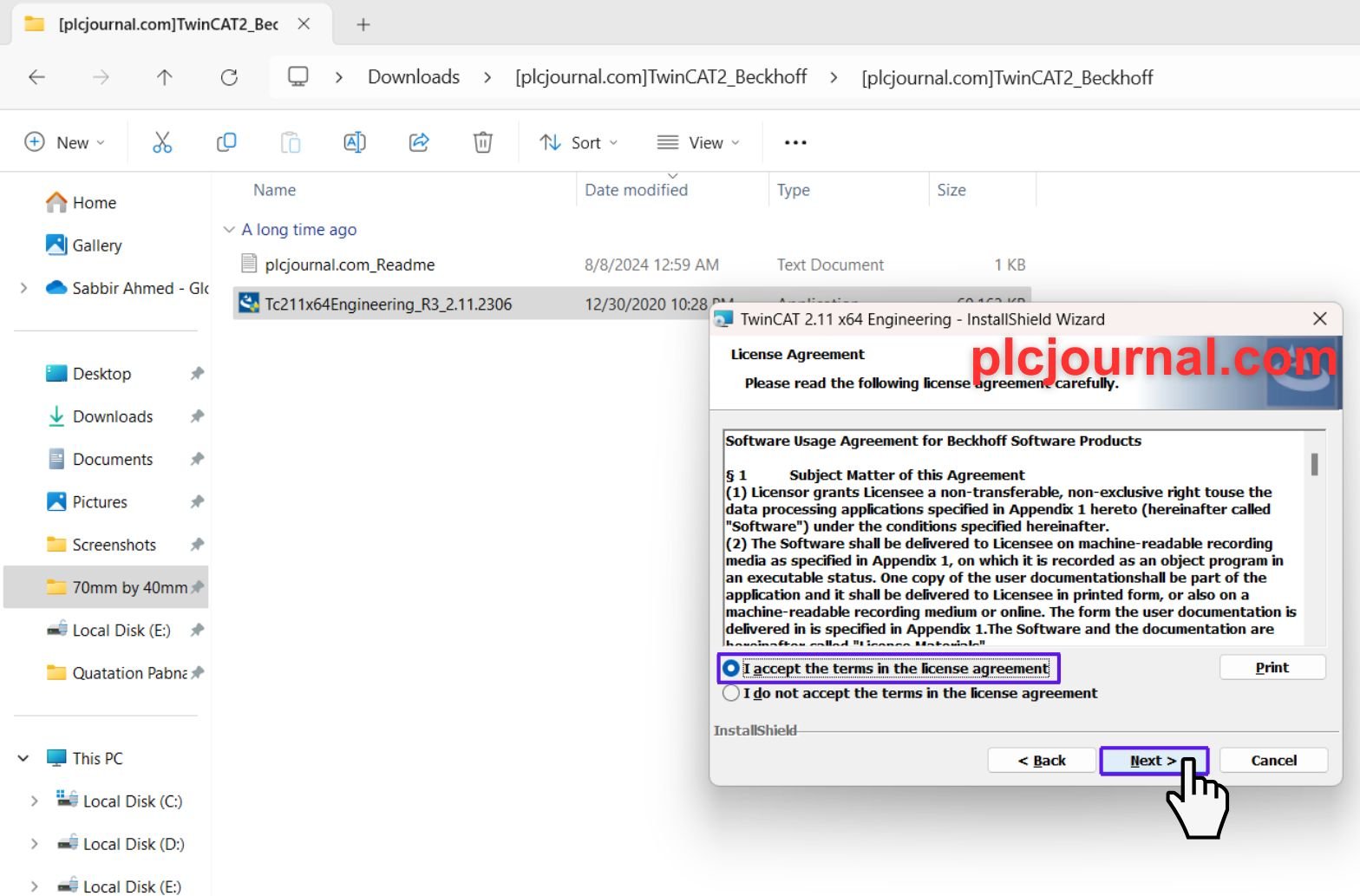
7. The installer will ask for some details. Just enter your User name and organization name in the fields provided, and then click Next.
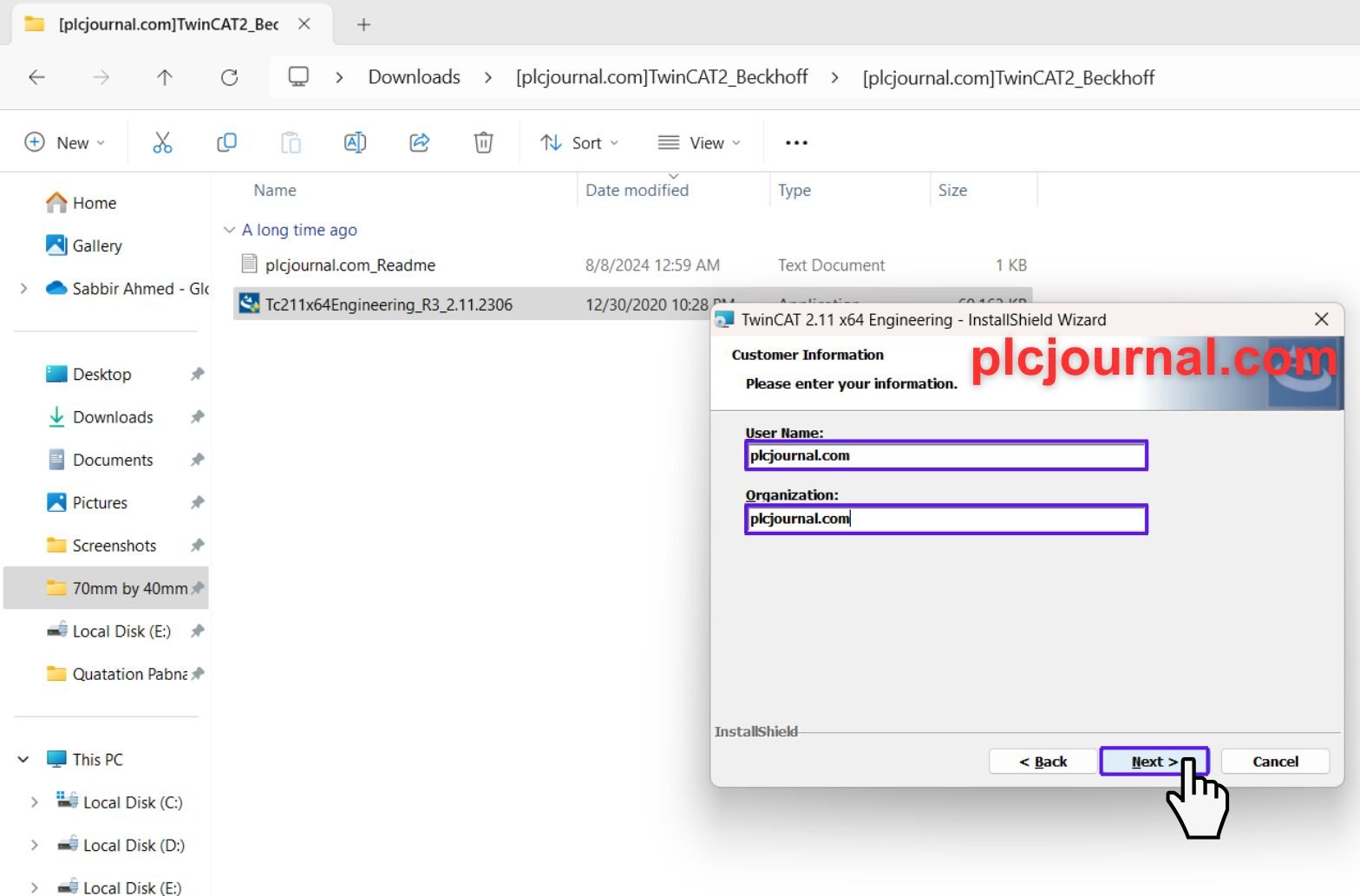
8. Next, you’ll choose the installation type. If you’re not sure, go with Complete—this installs everything you’ll need. Click Next to continue.
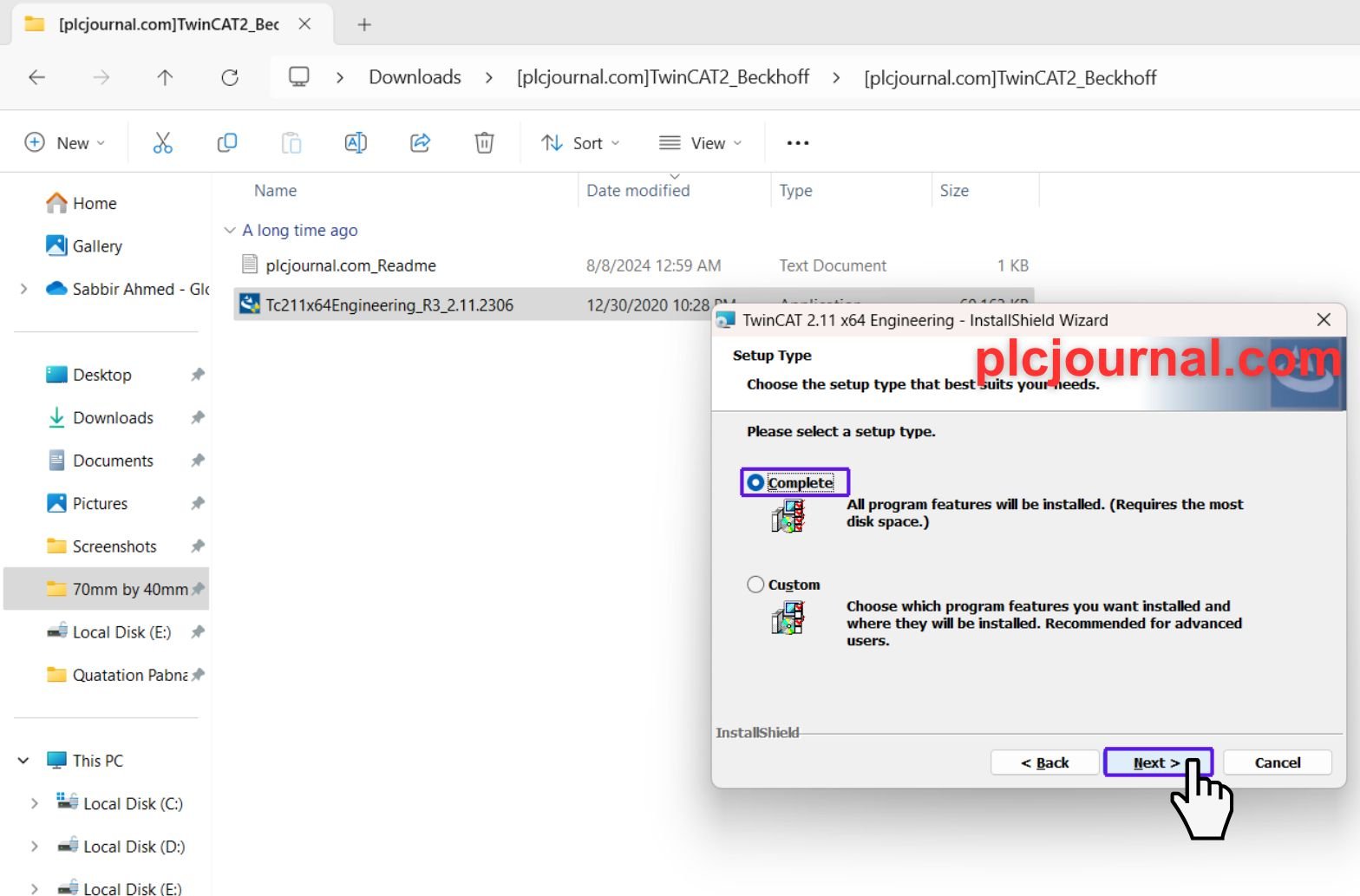
9. Now it’s time to install! Click Install and sit back while the software installs. A progress bar will keep you updated.
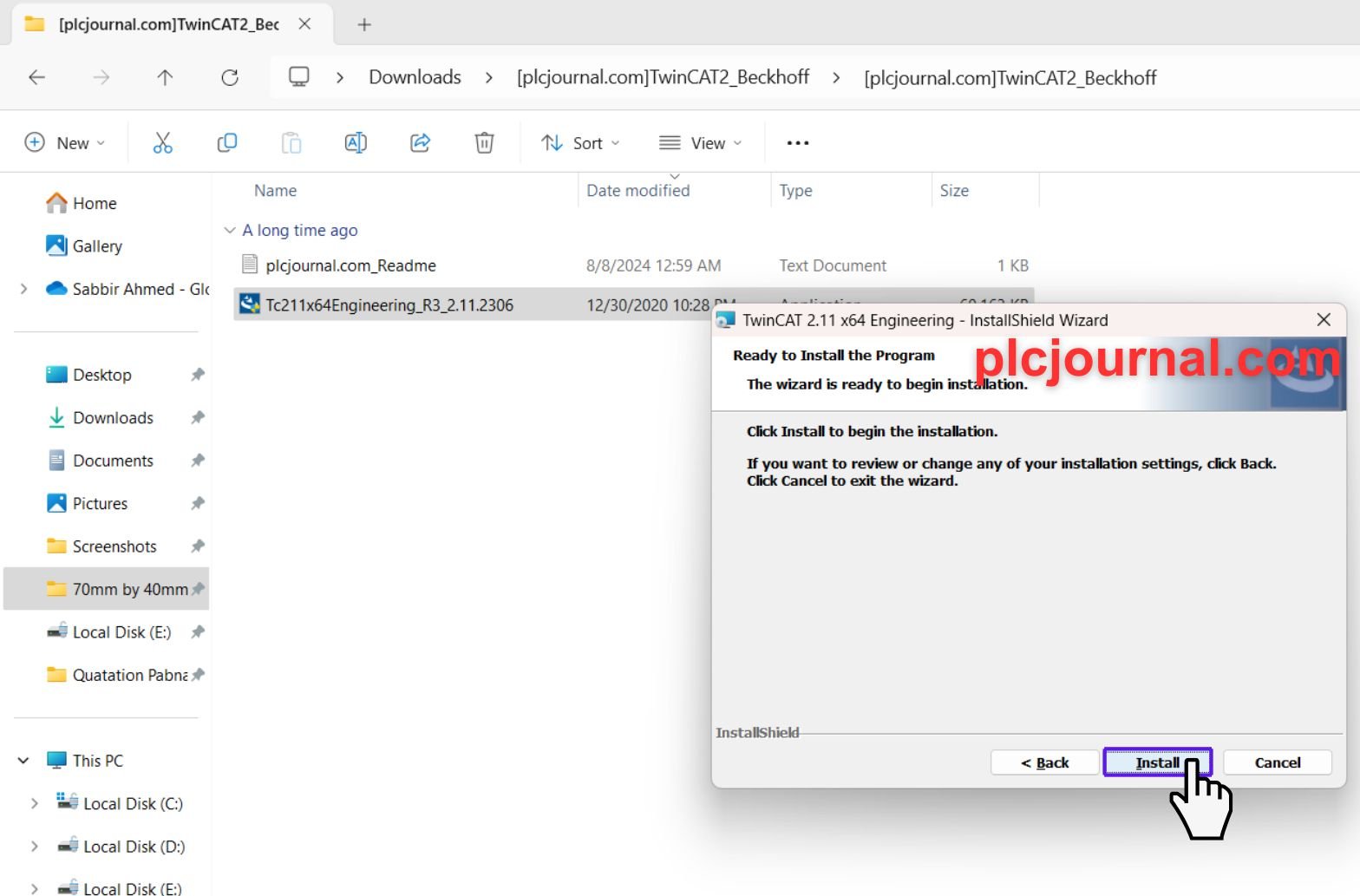
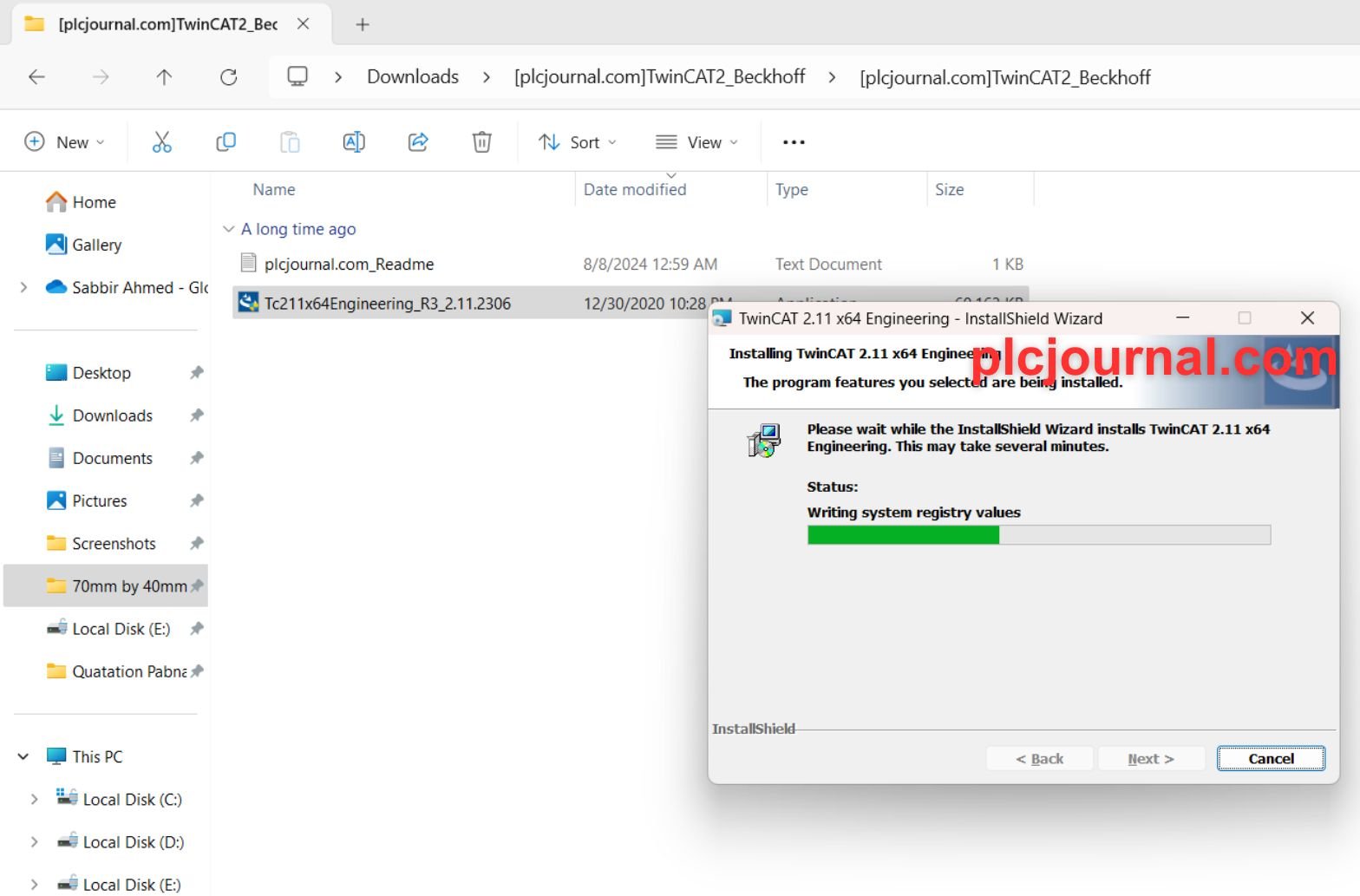
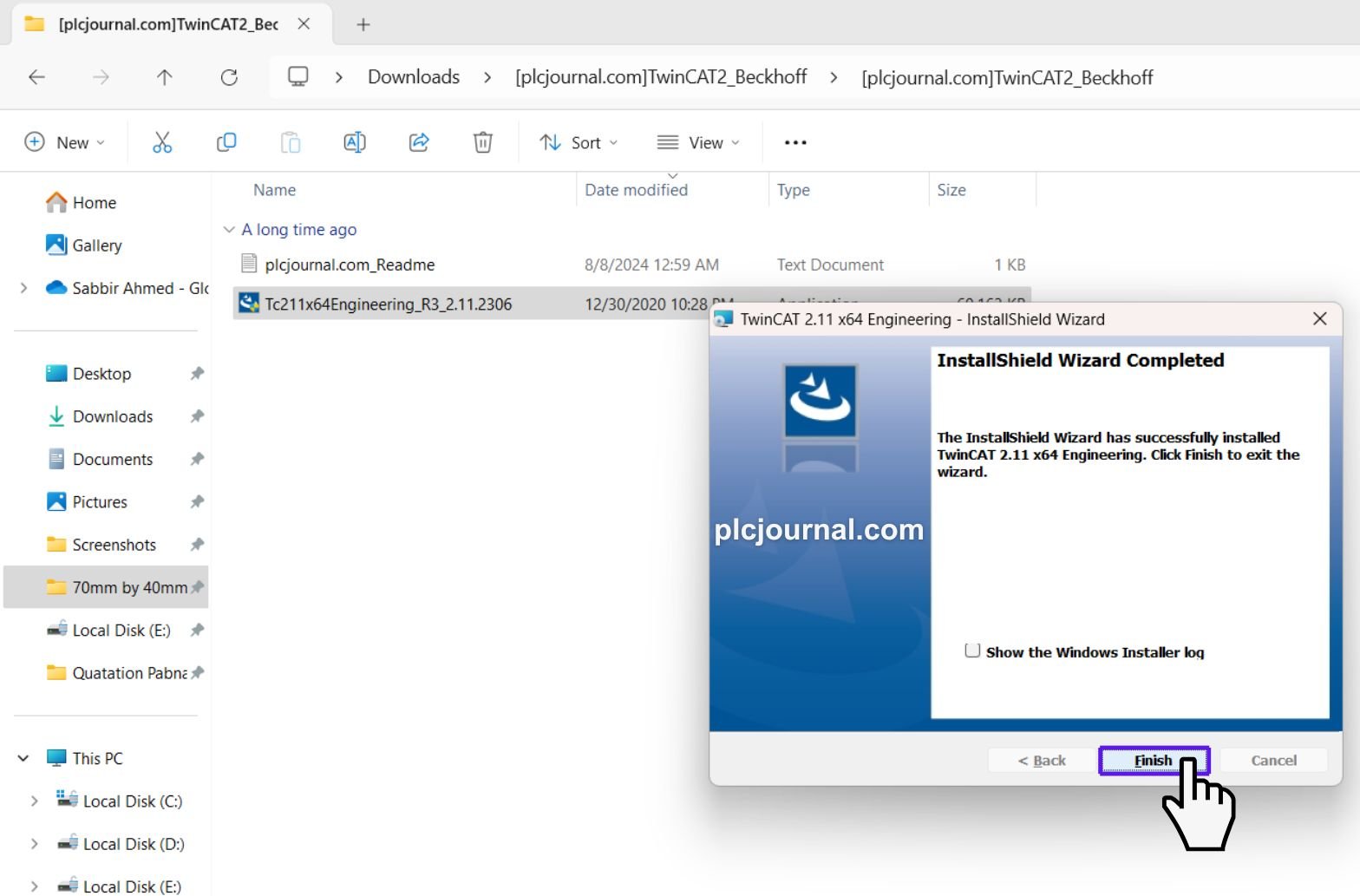
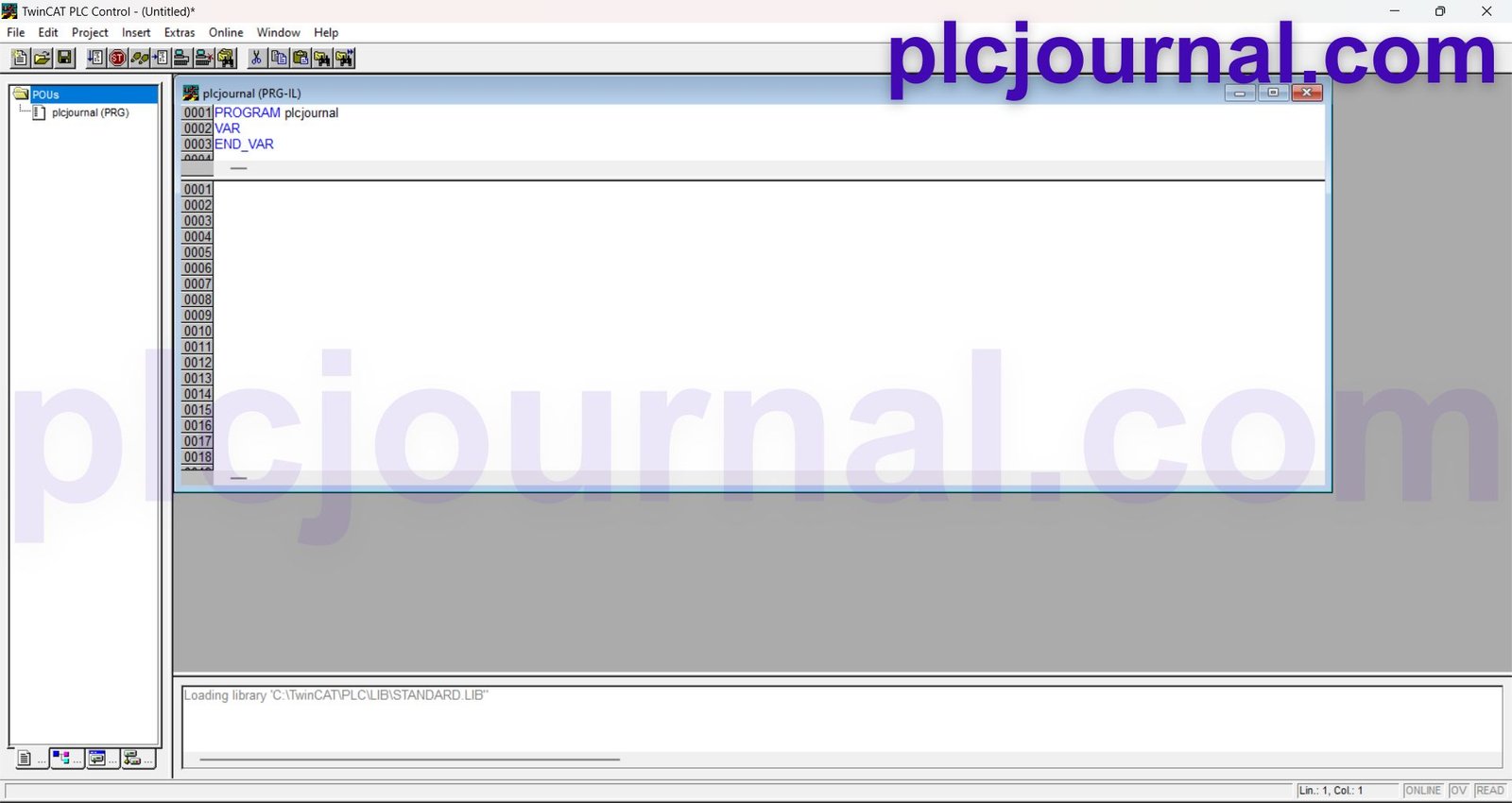
10. Once the installation finishes, you’ll see a confirmation message. Click Finish, and you’re done! Your TwinCAT 2 Beckhoff Software is ready to use.
Let’s Wrap It Up
TwinCAT 2 Beckhoff Software furthermore provides you with all the essential tools to consequently meet today’s increasingly high-performance automation requirements. Moreover, with it successfully downloaded now, enhanced operations are additionally evident in your deliverables. Furthermore in work progress, thereby boosting productivity, and consequently delivering superior results. Therefore, act now and, ultimately, begin a significantly improved and remarkably efficient automation path today!
Conclusion
The TwinCAT 2 Beckhoff Software is, furthermore, one of the most widely. Extensively used tools in automation and, additionally, motion control systems. With its powerful PLC programming environment, moreover, seamless motion control, and furthermore comprehensive fieldbus support. It consequently serves as the strong backbone of many industrial solutions worldwide. Thereby ultimately establishing itself as an indispensable and reliable cornerstone of modern industrial automation.
Download the TwinCAT 2 Free Version today and, furthermore, immediately start programming your Beckhoff PLCs and, additionally. Motion controllers with remarkable ease. Moreover, this consequently empowers you to efficiently develop advanced solutions. Thereby ultimately unlocking your full automation potential effortlessly and confidently.
Download Info:
Free Download TwinCAT 2 Beckhoff Software (Google Drive)
Extraction Password: plcjournal.com




