


Are you struggling to configure your Siemens drive system efficiently? If you’re looking for a reliable tool to set up and manage Siemens inverters, then Sinamics Starter V4.5 SP1 is the perfect solution for you.
Drive commissioning becomes simpler through this software which was created specifically to handle several Siemens inverter series. This post presents a free download link for Sinamics Starter V4.5 SP1 while offering a step-by-step guide about the software features together with an installation walkthrough.
What is Sinamics Starter V4.5 SP1?
Through Sinamics Starter V4.5 SP1, engineers and technicians not only gain an easy and efficient method to establish and handle Siemens inverters, but they can also do so in a remarkably quick and straightforward manner.
Furthermore, in addition to that, through the powerful Siemens drive configuration software, users can achieve smooth and seamless commissioning operations, while at the same time benefiting from quick and precise performance optimization capabilities. As a result, the entire process of setting up and managing Siemens inverters becomes significantly easier and more efficient from start to finish.
Supported Siemens Inverter Series
Through Sinamics Starter V4.5 SP1 users gain an easy way to setup several types of inverters.
- DCM Advanced, DCM Standard, DCP Advanced
- ET2000pro FC
- G110 CPM110, G110D, G110M
- G120-Series, G120C-Series
- G130, G150, GL150, GM150
- In, MV, S120, S150, SL150-Series
Every Siemens inverter model benefits from this software which simplifies the installation process steps.
Key Features of Sinamics Starter V4.5 SP1
- User-Friendly Interface:
- You can use the software without difficulty regardless of your experience level.
- Advanced Drive Configuration:
- The solution allows you to create and manage various drive frameworks without difficulties.
- Comprehensive Diagnostic Tools:
- Monitor real-time data and troubleshoot issues instantly.
- Seamless Integration with Siemens TIA Portal:
- Efficient work happens through the connection to Siemens Totally Integrated Automation TIA portal.
- Optimized Performance and Stability:
- Your industry operations need the peak efficiency standards.
System Requirements
Your system requirements must be verified before installing Sinamics Starter V4.5 SP1.
- Operating System: Windows 7, 8, 8.1, 10 (32-bit or 64-bit)
- Processor: Intel Core i3 or higher
- RAM: At least 4GB (8GB recommended for smooth performance)
- Hard Disk Space: 5GB or more
- Additional Software: Microsoft .NET Framework 4.5 or later
How to Download Sinamics Starter V4.5 SP1 Siemens (Full Version)
Are you looking to install Sinamics Starter V4.5 SP1 for your Siemens drive setup? If so, then rest assured that the process is incredibly simple and straightforward! All you need to do is carefully follow these easy step-by-step instructions one by one, and before you know it, you will have it fully installed quickly and completely without any hassle whatsoever. So, without further ado, let’s go ahead and dive right in and get started right away!
- Head to the Official Siemens Website
First and foremost, go ahead and navigate straight to the Siemens Industry Support website without any delay. Not only is this by far the safest and most reliable place to grab the very latest version of the software, but it also ensures that you are downloading a fully secure and up-to-date file. As a result, by starting here, you can rest assured that you are getting the best and most trustworthy version available right from the very beginning.
- Search for Sinamics Starter V4.5 SP1
Once you’re there, type “Sinamics Starter V4.5 SP1” into the search bar. You can also check the Downloads section to find it faster.
- Download and Save the File
Found it? Great! Click Download and choose a location you’ll remember—like your Desktop or Downloads folder.
Try an Alternative Link if Needed
If the main download link gives you trouble, don’t stress. Look for a Google Drive or mirror link as a backup option.
Why Download Sinamics Starter V4.5 SP1?
- Full Version for Free – No restrictions or trial limitations.
- Google Drive Link – Secure and fast downloading.
- Compatible with Multiple Inverter Models – Ideal for industrial applications.
- The system allows you to perform drive monitoring along with debugging and efficiency optimization without any difficulty.
How to Install Sinamics Starter V4.5 SP1 Siemens
1. Download the Software
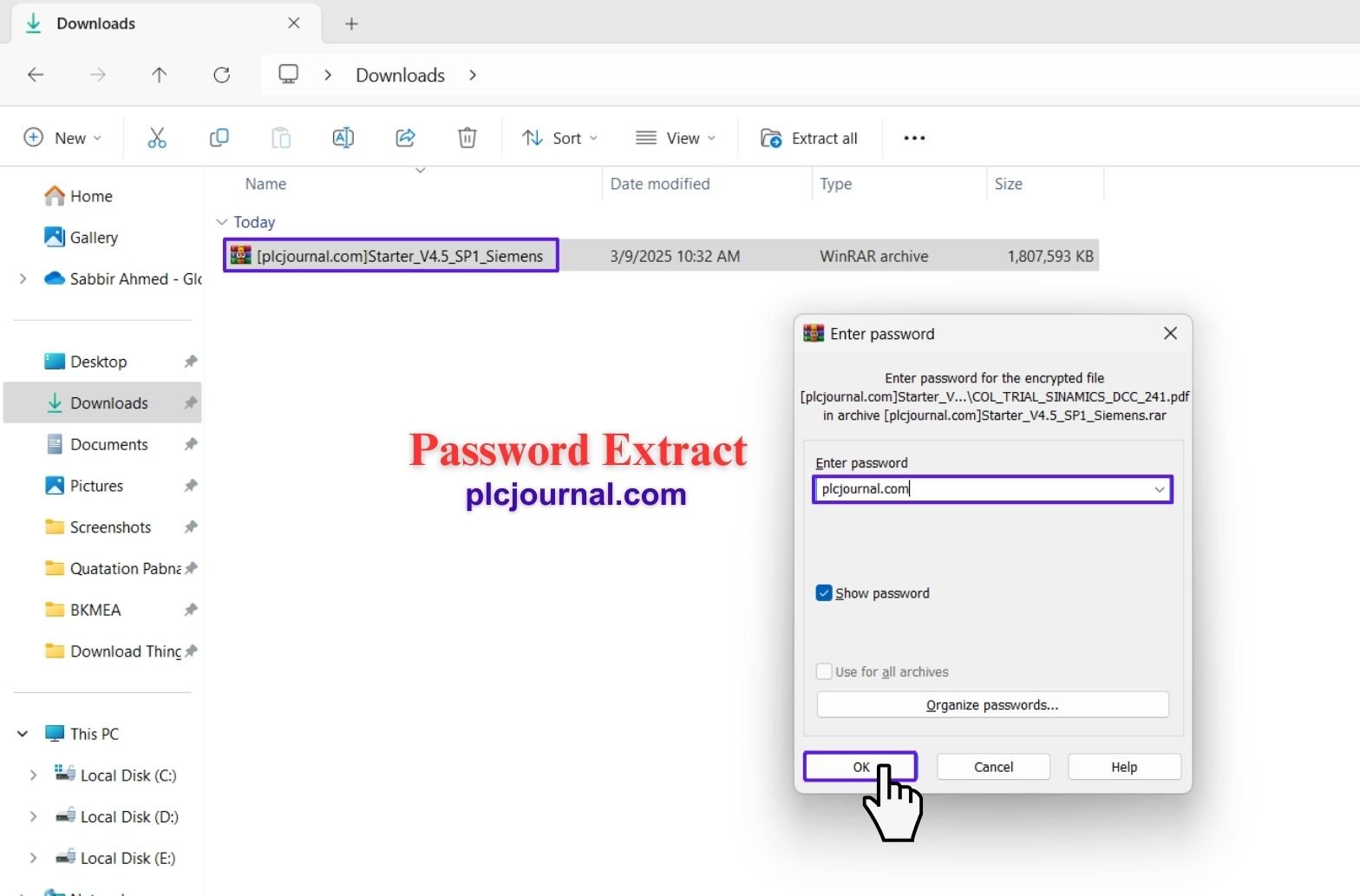
Download the program through Google Drive before proceeding. Use “plcjournal.com” to access the file after unlocking it by entering the password that was provided.
2. Open the Installation Folder
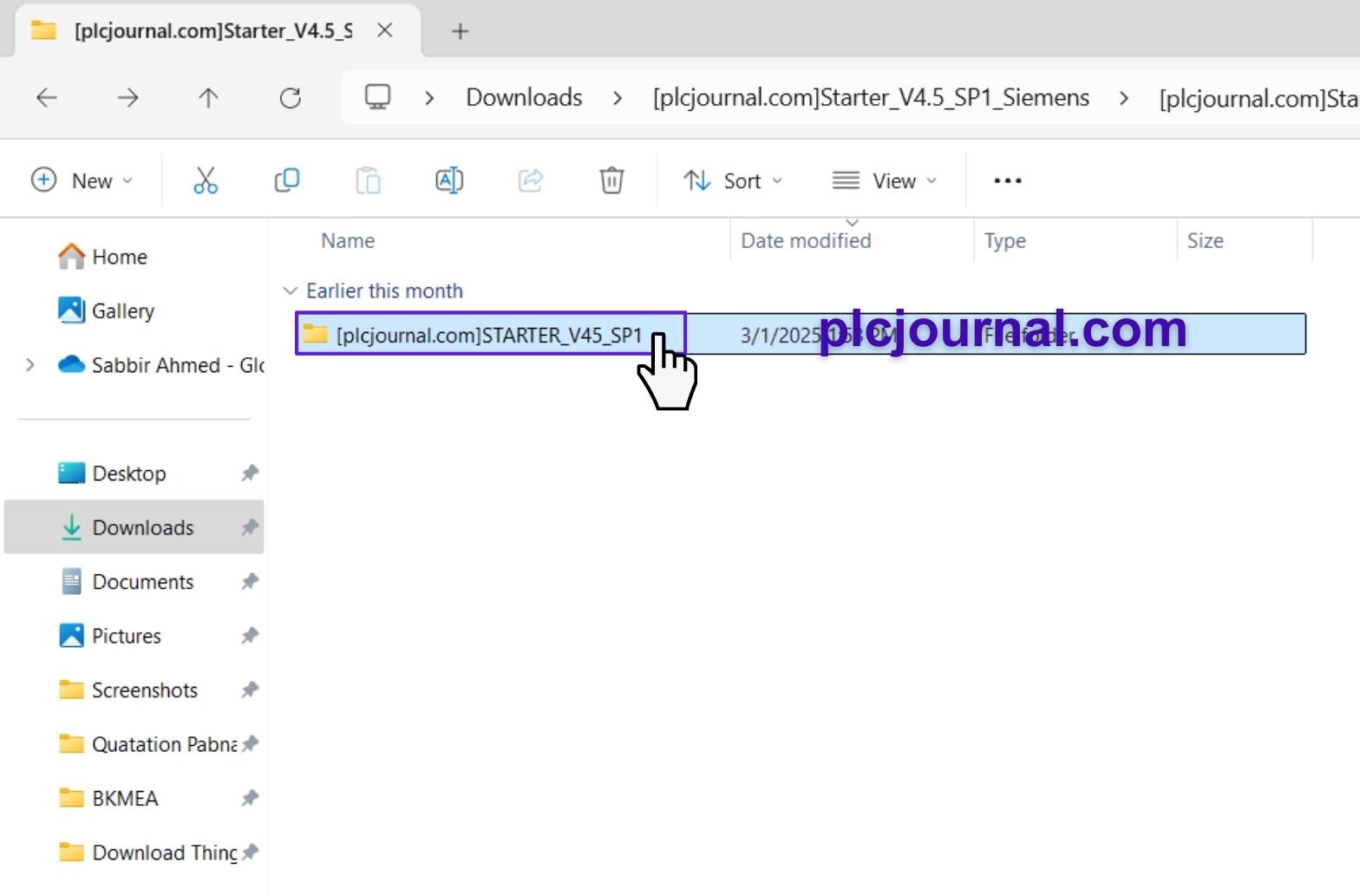
Go ahead and open the “STARTER_V45_SP1” folder. Then, double-click to start the installation.
3. Run the Setup
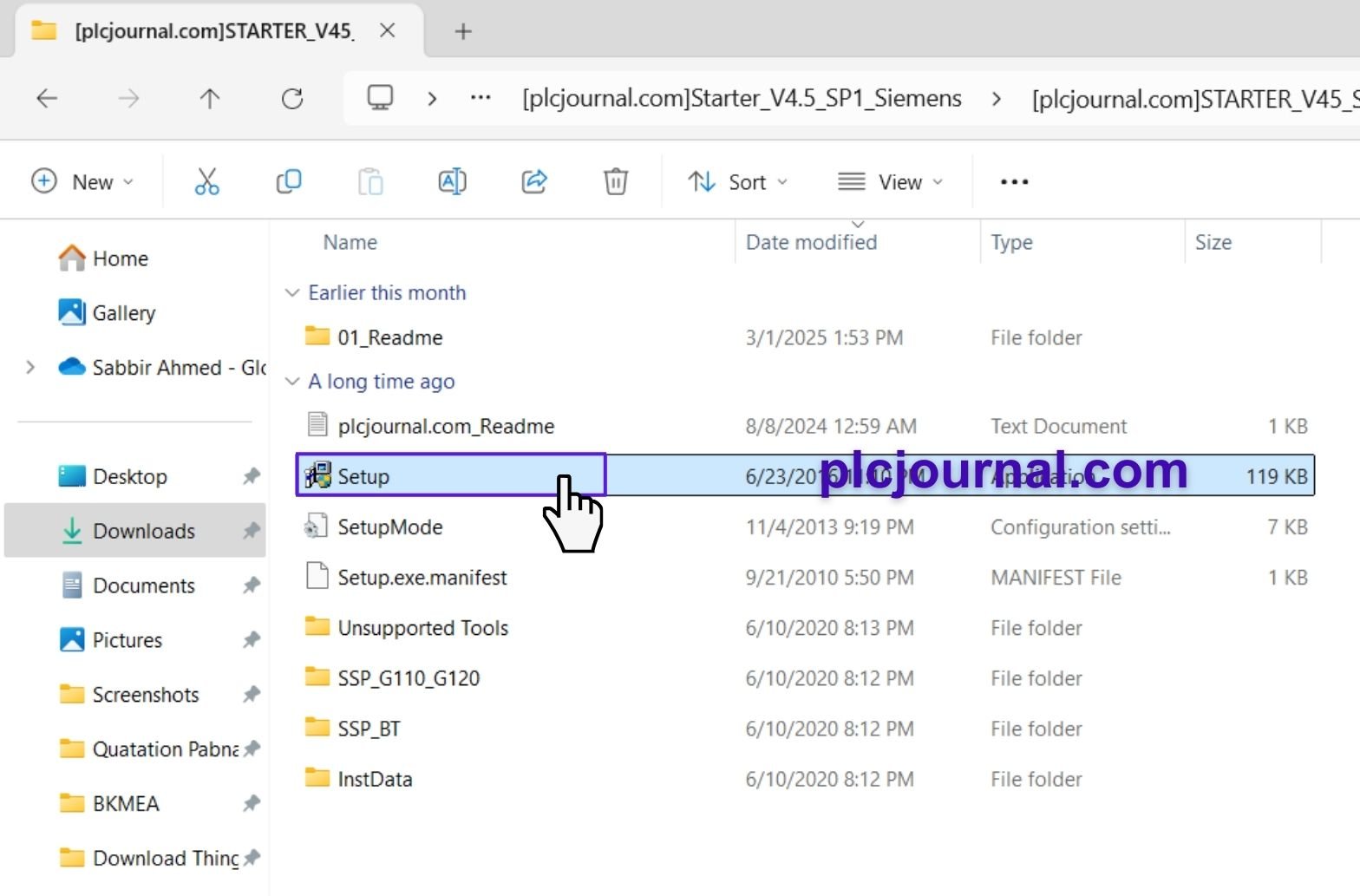
Next, go ahead and simply double-click the “Setup” file to get things started. Once you have done that, the installation process will then begin automatically, and from there, you will simply follow a series of easy and straightforward steps one by one. Before you know it, you will have everything fully installed and ready to go in no time at all.
4. Choose Your Language
Select your preferred language and click Next to continue.
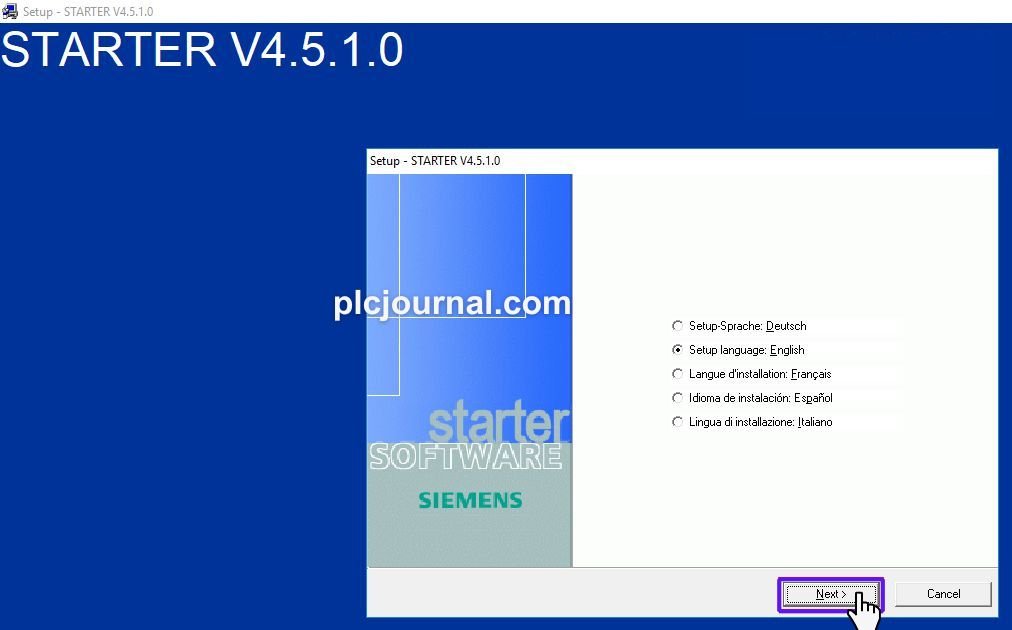
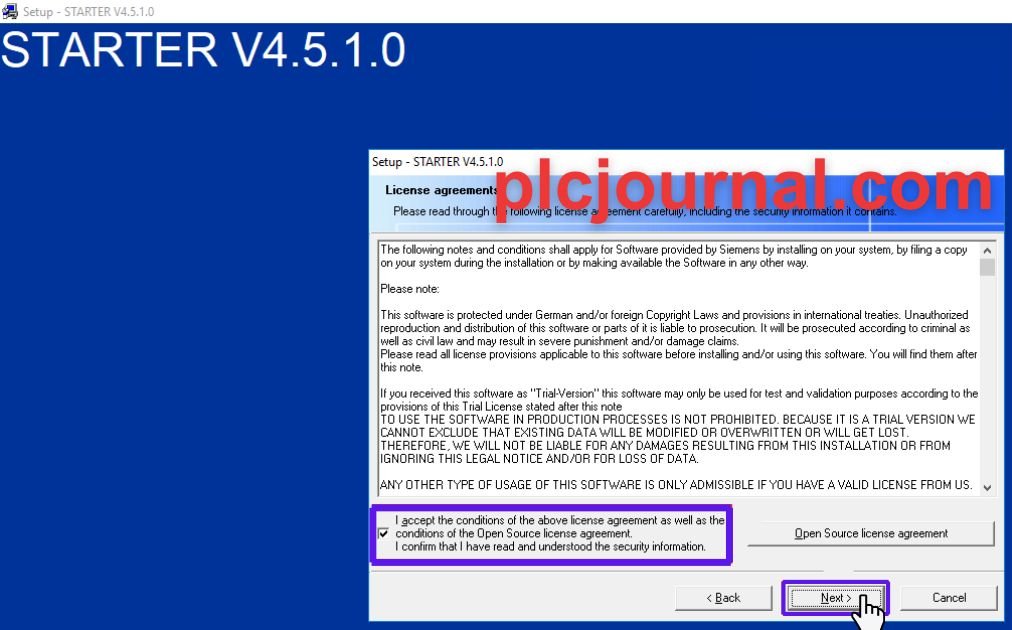
5. Accept the Terms
Review and accept the license agreement. Then, click Next to move forward.
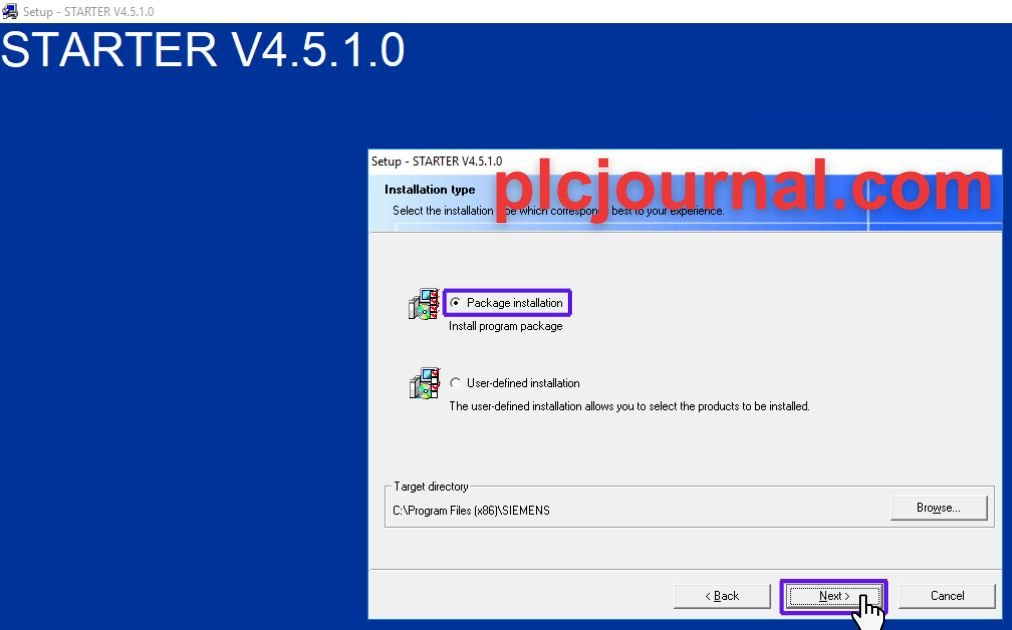
6. Select Installation Type
Pick the installation type that best fits your needs, then click Next.
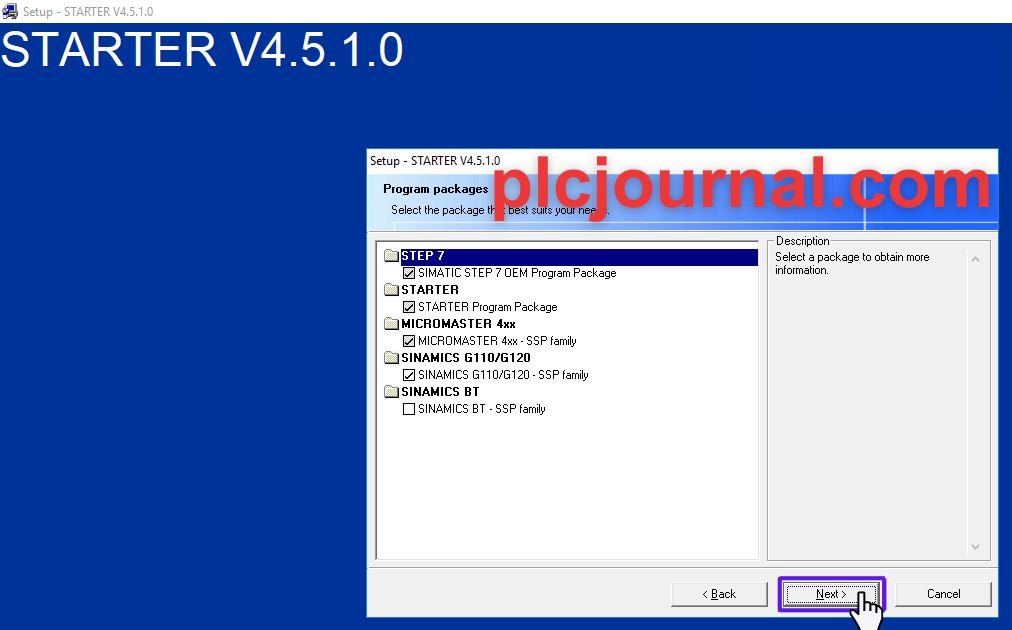
7. Choose Packages
The install process requires you to choose packages before moving forward to Next.
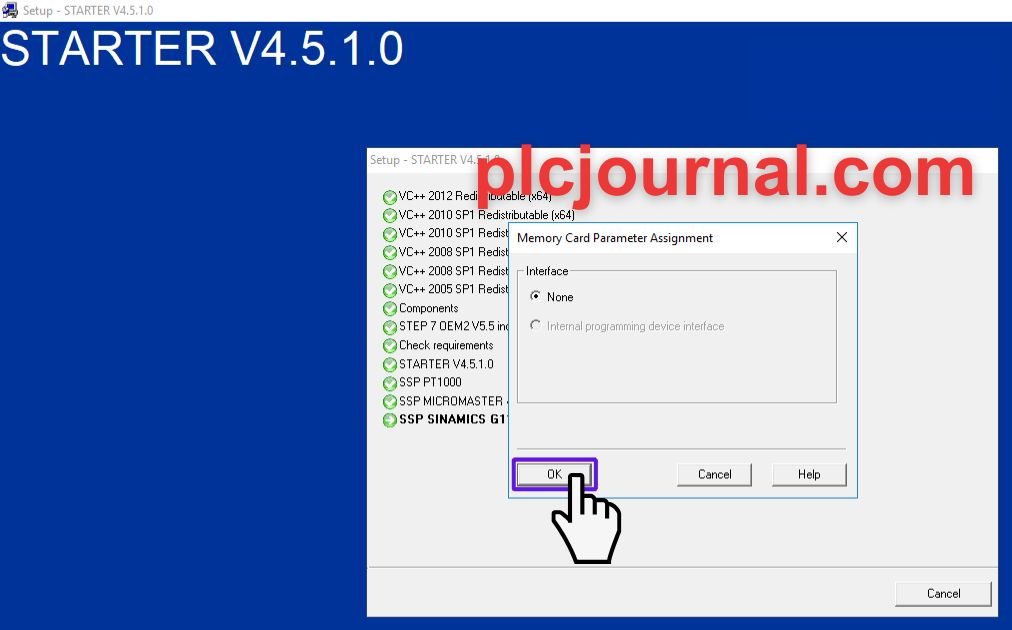
8. Memory Card Settings
When prompted, choose “None” for memory card parameters, then click OK.
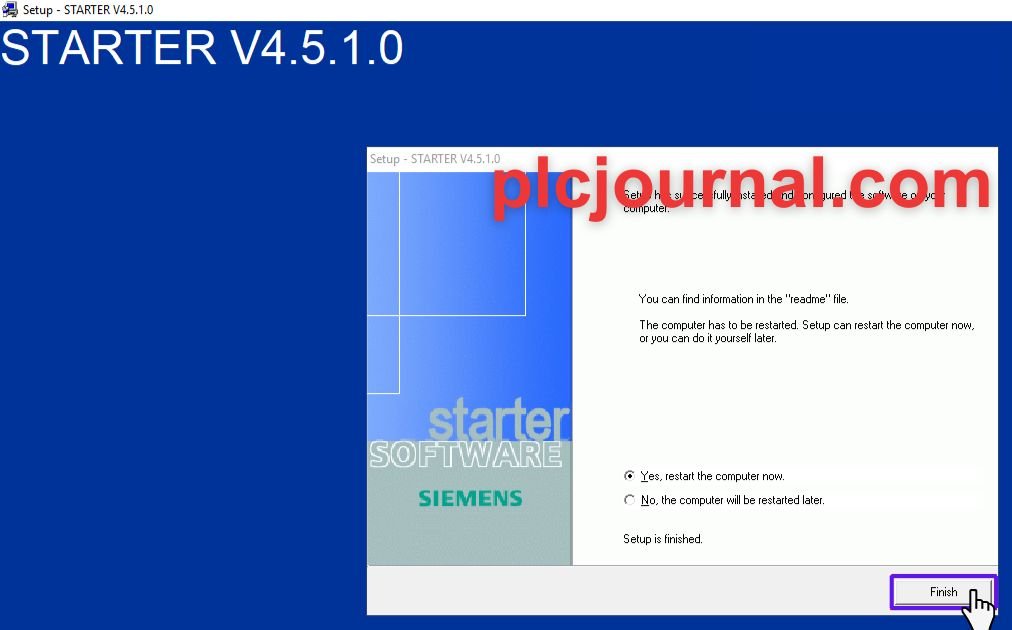
9. Finish Installation
After the installation completes, click Finish to wrap things up.
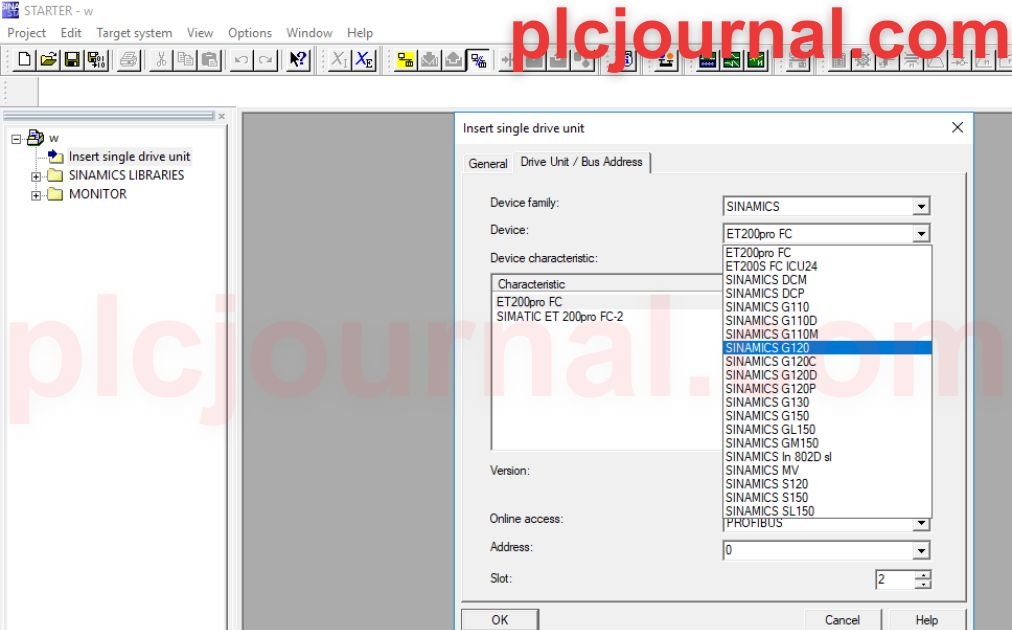
10. Start Using the Software
That’s it! Your software is ready to go. Enjoy!
Benefits of Using Sinamics Starter V4.5 SP1
- Streamlined Configuration: Sinamics Starter V4.5 SP1 simplifies the configuration and setup of Siemens drives and systems.
- Improved Efficiency: The updated version enhances performance with optimized drive control, reducing system downtime and improving overall productivity.
- User-Friendly Interface: The software provides an intuitive user interface, making it easier for engineers to work with complex systems and reduce setup time.
- Advanced Diagnostic Tools: The integrated diagnostic tools allow for quicker identification and resolution of issues, ensuring system reliability.
- Enhanced Security: Improved security features to protect sensitive configurations and ensure system integrity.
Compatibility with Siemens Devices
- Wide Compatibility: Sinamics Starter V4.5 SP1 is designed to work seamlessly with a wide range of Siemens SINAMICS drive systems, including SINAMICS S120, G120, and V20.
- Integration with Siemens PLCs: The software ensures smooth communication with Siemens PLCs (e.g., S7-1200, S7-1500), enhancing system integration.
- Backward Compatibility: This version maintains compatibility with older Siemens devices, ensuring users with legacy systems can still benefit from the latest software advancements.
- Support for Modular Devices: Sinamics Starter V4.5 SP1 supports modular setups, offering flexibility in both simple and complex automation systems.
Sinamics Starter V4.5 SP1 vs Earlier Versions
- Improved User Interface: Compared to earlier versions, V4.5 SP1 features an upgraded and more intuitive user interface that facilitates quicker navigation and task execution.
- Faster Configuration Time: The new version reduces the time needed to configure devices by offering pre-configured templates and optimized parameters.
- Additional Features: Sinamics Starter V4.5 SP1 introduces enhanced features like advanced drive diagnostics, additional communication protocols, and improved troubleshooting capabilities, which were absent or less developed in previous versions.
- Better Integration with Siemens Ecosystem: Unlike earlier releases, V4.5 SP1 offers smoother integration with other Siemens products, making it easier for users to build comprehensive automation systems.
- Bug Fixes and Stability Enhancements: The latest version resolves many of the bugs present in older versions, offering improved stability and fewer software crashes.
Troubleshooting Common Issues in Sinamics Starter V4.5 SP1
- Connection Problems with Siemens Drives: Ensure proper communication settings between Sinamics Starter and the connected Siemens drive. Recheck network configurations, IP addresses, and cable connections.
- License Activation Failures: If the software fails to activate, ensure the license file is valid and placed in the correct directory, or check for licensing conflicts with other Siemens software.
- Error Codes During Configuration: If an error code appears during configuration, refer to the official Siemens troubleshooting guide for specific codes, and verify the device settings or firmware version.
- Incompatible Firmware Versions: Sometimes, firmware versions may not be compatible with Sinamics Starter V4.5 SP1. Ensure that both the software and firmware are up to date to avoid compatibility issues.
- Drive Not Responding: Check for hardware malfunctions or communication failures. Perform a restart of both the Sinamics Starter software and the connected drive to resolve temporary errors.
Conclusion
Not only does the implementation of Sinamics Starter V4.5 SP1 make the installation and programming of Siemens drive systems significantly faster, but it also makes the entire process much more effective and efficient overall.
Furthermore, in addition to that, you can go ahead and obtain it right now in order to smoothly and effortlessly configure your drives through a clean and easy-to-use interface. As a result, whether you are a beginner or an experienced professional, this powerful software ensures that the entire process is as seamless and straightforward as possible from start to finish. So, without further ado, go ahead and get started today!
📥Download Info:
Extraction Password: plcjournal.com
Free Download Sinamics Starter V4.5 SP1 Siemens (Full Version)




