


The Siemens S7-200 unlock is one of the most widely used PLCs in small automation systems. However, many engineers and technicians face the issue of a password-protected program when trying to upload or edit projects. If you’ve forgotten the password or purchased a used machine with a locked PLC, you’ll need a reliable unlock tool.
This article provides a 100% working Siemens S7-200 PLC password unlock software for free download, so you can regain full access to your PLC program.
Why Do You Need S7-200 Password Unlock Software?
- Password Recovery: Notably, use our software to consequently and furthermore efficiently recover forgotten PLC passwords thereby quickly.
- Access Locked Projects: Notably, access and consequently edit locked PLC projects, thereby furthermore ensuring seamless and efficient modifications.
- Upload or Download Programs: Notably, upload or consequently download programs from used machines, thereby furthermore ensuring seamless data transfers.
- To save time instead of reprogramming from scratch
- Ensure Continuity: Notably, ensure seamless industrial processes, thereby consequently eliminating furthermore delays and ensuring uninterrupted operational efficiency.
Features of Siemens S7-200 PLC Password Unlock Tool
- No Additional Hardware: Notably, works with standard Siemens cables, thereby consequently eliminating furthermore any additional hardware requirements efficiently.
- 100% Working: Notably, consequently tested and verified, thereby furthermore ensuring reliable performance across multiple S7-200 models efficiently.
- Supports MicroWIN: Notably, supports MicroWIN V3.x and V4.x, thereby consequently ensuring furthermore broad project compatibility efficiently.
- Unlocks both read-only and write-protected PLCs
- Simple Interface: Notably, features a simple and consequently easy-to-use interface, thereby furthermore ensuring efficient and accessible usage.
- Windows Compatibility: Notably, works on Windows 7, 8, and 10, thereby consequently supporting furthermore both 32-bit and 64-bit systems.
System Requirements
Before installing, make sure your PC meets the following:
- OS: Windows XP, 7, 8, 10 (32/64-bit)
- Software: STEP 7 MicroWIN installed
- Cable: Siemens USB-PPI / RS232-PPI / compatible interface
- RAM: 2 GB minimum
- Disk Space: 200 MB free
Supported Siemens PLC and HMI Models
With this free tool, you can unlock passwords for various Siemens PLCs and HMIs, including:
- Siemens Logo PLC
- S7-200, S7-300, S7-1200, and more.
Supported Series and Versions
- SIMATIC S7-200 PLC CPU 226 AC/DC RLY
- SIMATIC S7-200 PLC CPU 226 DC/DC 24V
- SIMATIC S7-200 CPU 224XP AC/DC RLY
- SIMATIC S7-200 PLC CPU 224XP DC/DC 24V
- SIMATIC S7-200 PLC CPU 224
- SIMATIC S7-200 S7-222 PLC AC/DC RLY
- Siemens S7-200 PLC CPU-221 AC/DC RLY
- SIMATIC S7-200 S7-222 PLC DC/DC 24V
- SIMATIC S7-200 PLC CPU 224
- Siemens S7-200 PLC CPU-221 DC/DC 24V
You can Unlock this firmware also
S7-200 REL Below v02.00 & REL v02.00,v02.01, v02.02
Additional Siemens Devices Supported
- SIMATIC S7-200
- SIMATIC S7-300 & S7-400
- SIMATIC S7-1200 & S7-1500
- SIMATIC S7-200 SMART
- SIMATIC LOGO
- S7-200 Smart PLC CPU CR40 CPU CR40, AC/DC/RELAY,
- S7-200 Smart PLC CPU CR60 CPU CR60, AC/DC/RELAY,
- S7-200 Smart PLC CPU SR20 CPU SR20, AC/DC/RELAY,
- S7-200 Smart PLC CPU SR30 CPU SR30, AC/DC/RELAY,
- S7-200 Smart PLC CPU SR40 CPU SR40, AC/DC/RELAY,
- S7-200 Smart PLC CPU SR60 CPU SR60, AC/DC/RELAY,
- S7-200 Smart PLC CPU ST20 CPU ST20, DC/DC/DC,
- S7-200 Smart PLC CPU ST30 CPU ST30, DC/DC/DC,
- S7-200 Smart PLC CPU ST40 CPU ST40, DC/DC/DC,
- S7-200 Smart PLC CPU ST60 CPU ST60, DC/DC/DC,
This versatile tool also supports unlocking Siemens accessory software, ensuring you regain full control over your automation systems.
Why Unlocking a Siemens S7-200 PLC is Necessary
Critical Scenarios Notably, there are consequently several critical scenarios where furthermore unlocking Siemens S7-200 PLC thereby becomes essential.
- Lost Passwords: Notably, losing passwords consequently happens easily, thereby furthermore affecting even the most scrupulous employees efficiently.
- Legacy Equipment: Notably, used devices consequently lack original passwords, thereby furthermore making unlocking software essentially necessary efficiently.
- System Upgrades: Sustaining, altering or maintaining a program that is embedded in a PLC additionally needs complete control.
Free Download: Siemens S7-200 PLC Password Unlock Software
There are several tools available online for unlocking Siemens PLCs. The free download solution provided here is tested and verified to work effectively with Siemens S7-200 Unlock PLCs.
How to Download:
- Visit the Download Page: Notably, access the link provided below, thereby consequently downloading furthermore the software quickly and efficiently.
- Ensure Compatibility: Notably, check system requirements, thereby consequently ensuring furthermore your PC can run the software efficiently.
- Download and Install: Notably, follow the instructions, thereby consequently downloading furthermore and installing the tool on your PC.
Step-by-Step Guide to Unlock Siemens S7-200 PLC Password
Once you’ve downloaded the software, follow these steps to unlock your PLC:
1. Connect the PLC to Your PC
Connect Your PLC Notably, use a compatible cable, thereby consequently securing furthermore both ends for a proper connection.
2. Launch the Unlock Software
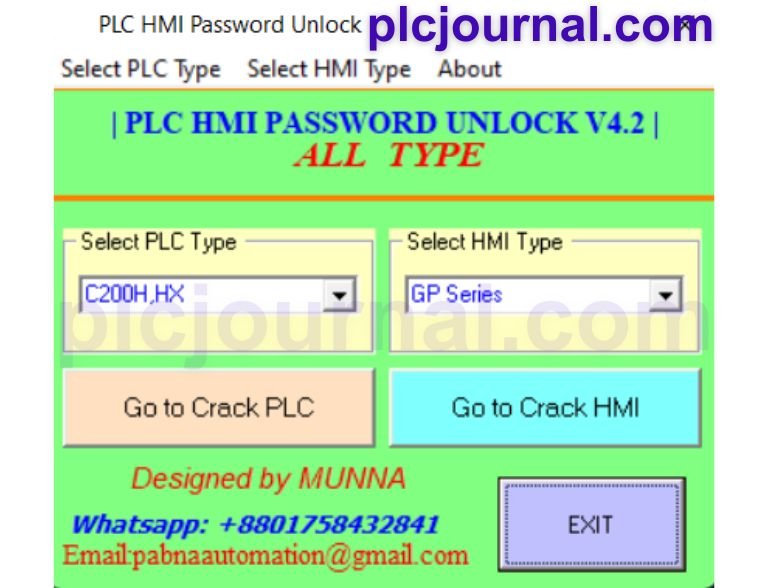
Run the Unlocking Tool Notably, run the tool, thereby consequently confirming furthermore all drivers function properly to detect PLC.
3. Select the PLC Model
Choose Your Model Notably, select your specific S7-200 model, thereby consequently ensuring furthermore correct configuration and seamless compatibility.
4. Initiate the Unlocking Process
Click Unlock Notably, click “Unlock” to consequently start, thereby furthermore scanning and bypassing PLC password protection efficiently.
5. Verify Access
Complete the Process Notably, open your PLC program, thereby consequently gaining furthermore full control without any password restrictions.
Benefits of Using Free Unlock Software
- Cost-Effective Solution: Do not take the services of professionals who unlock phones for money.
- Quick and Reliable: Regain access to your PLC without taking more than a few minutes.
- Preserves Data: This means that your initial programs are not affected after using the software in any way.
- 100% Safe: Has been proved to be very effective without causing any havoc on the PLC hardware or software.
Conclusion
The Siemens S7-200 Unlock PLC Password Software is a must-have tool for automation engineers who deal with locked PLCs. It saves valuable time, ensures smooth operations, and provides full access to your PLC programs.
Download the 100% working version now and unlock your Siemens S7-200 PLC with ease!
Unlock PLC and HMI Passwords for Free – Download Now!
Are you struggling with a locked PLC or HMI password? If your Siemens PLC or HMI is password-protected and you need to unlock or crack it, we’ve got a solution for you! You can now unlock Siemens PLC and HMI passwords for free using our reliable software. Tap the download button below to begin.
Free Download Siemens PLC UNLOCK SOFTWARE.rar File SIZE (2.80 MB)




