


The Automation License Manager (ALM) V6.0 a powerful tool developed by Siemens for managing software licenses across its automation License Manager V6.0 software portfolio. Whether you’re working with STEP 7, WinCC, TIA Portal, or other Siemens engineering tools, ALM makes it easy to activate, move, and manage licenses on your PC or automation devices.
In this comprehensive guide, you’ll find absolutely everything you need to know about Automation License Manager V6.0. Specifically, we’ve covered all the key features in detail, outlined the necessary system requirements, and — most conveniently – included a direct free download link via Google Drive. Whether you’re a first-time user or simply upgrading, this guide has you fully covered.
What is Automation License Manager V6.0 (ALM)?
The Automation License Manager V6.0 (ALM) an official Siemens software utility used to manage licenses for Siemens automation products. When you purchase or install Siemens software like STEP 7, WinCC, StartDrive, or TIA Portal, you need ALM to activate and maintain their licenses.
With ALM V6.0, you can:
- Install new license keys
- Transfer licenses between PCs
- Manage floating or network licenses
- Backup and restore license keys safely
- Monitor license usage in real-time
Key Features of Automation License Manager V6.0
- Centralized License Management – Conveniently and effortlessly manage all your Siemens software licenses in one unified place, eliminating the need to navigate multiple systems. As a result, teams can instantly access, monitor, and update licenses from a single, streamlined dashboard — ultimately saving time and reducing administrative overhead.
- Transfer Functionality – Seamlessly move licenses between hard drives, USB dongles, or network devices with ease. Whether you’re upgrading hardware, reallocating resources, or simply reorganizing your setup, the process is straightforward and efficient — ensuring minimal downtime and maximum flexibility across your entire workflow.
- Network Support – Effortlessly use floating licenses across multiple engineering stations, allowing teams to share resources dynamically and efficiently. Rather than assigning fixed licenses to individual machines, this flexible approach ensures that the right tools are always available wherever they’re needed — ultimately maximizing productivity and reducing unnecessary license overhead across your entire network.
- Compatibility – Fully supports a wide range of industry-leading tools, including STEP 7, WinCC, PCS 7, TIA Portal, and many other essential Siemens applications. As a result, engineers and teams can seamlessly transition between platforms without any disruption to their workflow. Whether you’re working on automation, process control, or system integration, this broad compatibility ensures a smooth and consistent experience across all your Siemens software environments.
- Secure License Handling – Protects against license corruption and unauthorized access.
- Backup & Restore – Prevents license loss during system crashes or reinstallations.
System Requirements
Before downloading Automation License Manager_V6.0, ensure your system meets the following minimum requirements:
- Operating System: Windows 7 SP1, Windows 8.1, Windows 10 (64-bit recommended).
- Processor: Intel Core i3 or higher.
- Memory: 4 GB RAM or more.
- Disk Space: You’ll need a minimum of 500 MB of available storage space.
- Additional Software: .NET Framework 4.6 or higher.
How to install Automation License Manager V6.0 Siemens Software step by step complete instructions with images are given below.
Step
To get started, simply click the download button below to get Siemens’ Automation License Manager V6.0 free via Google Drive.
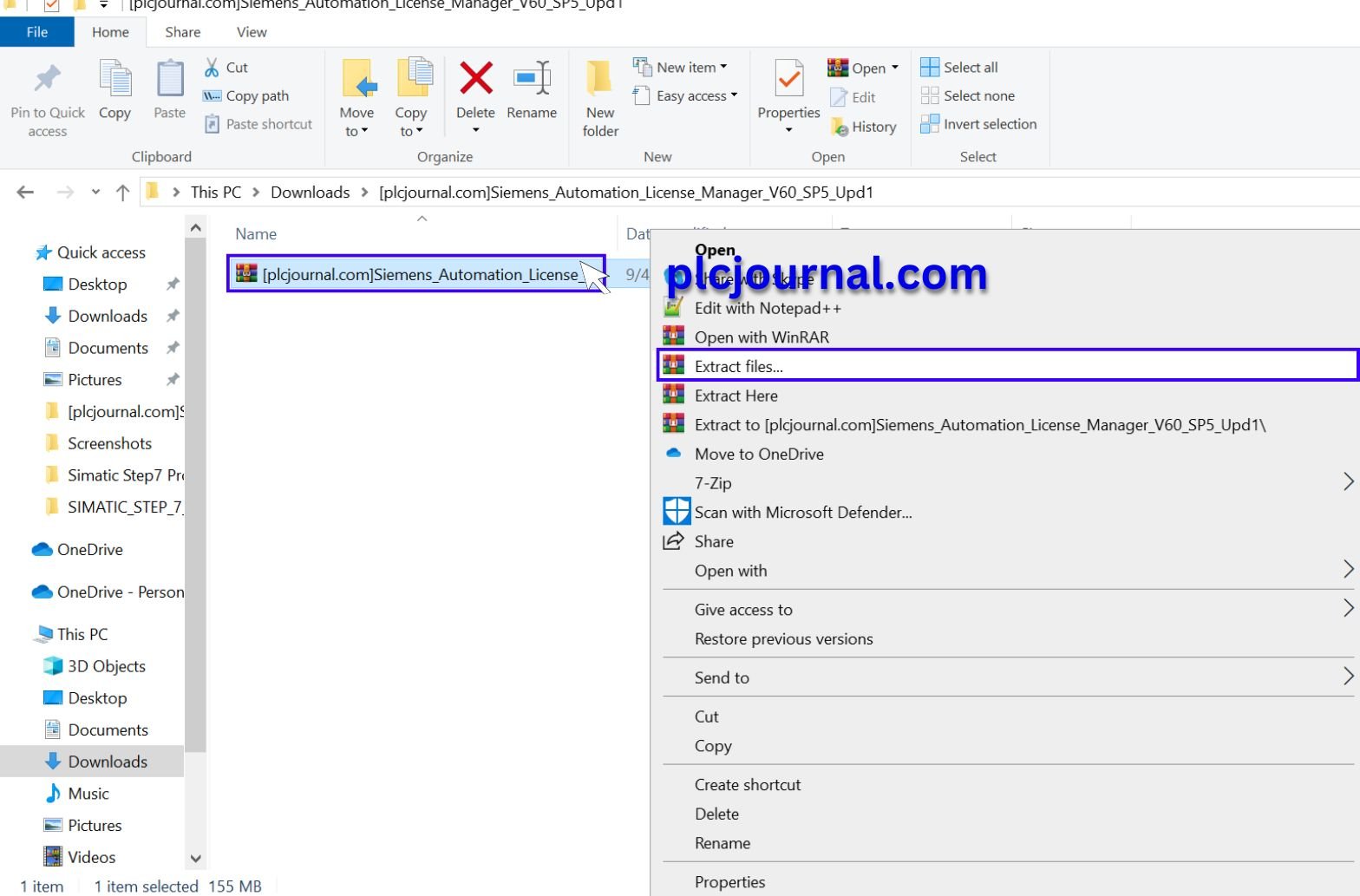
Then Extract the [plcjournal.com/Siemens_Automation_License Zip File. Place the mouse pointer on this file, and click the right button.
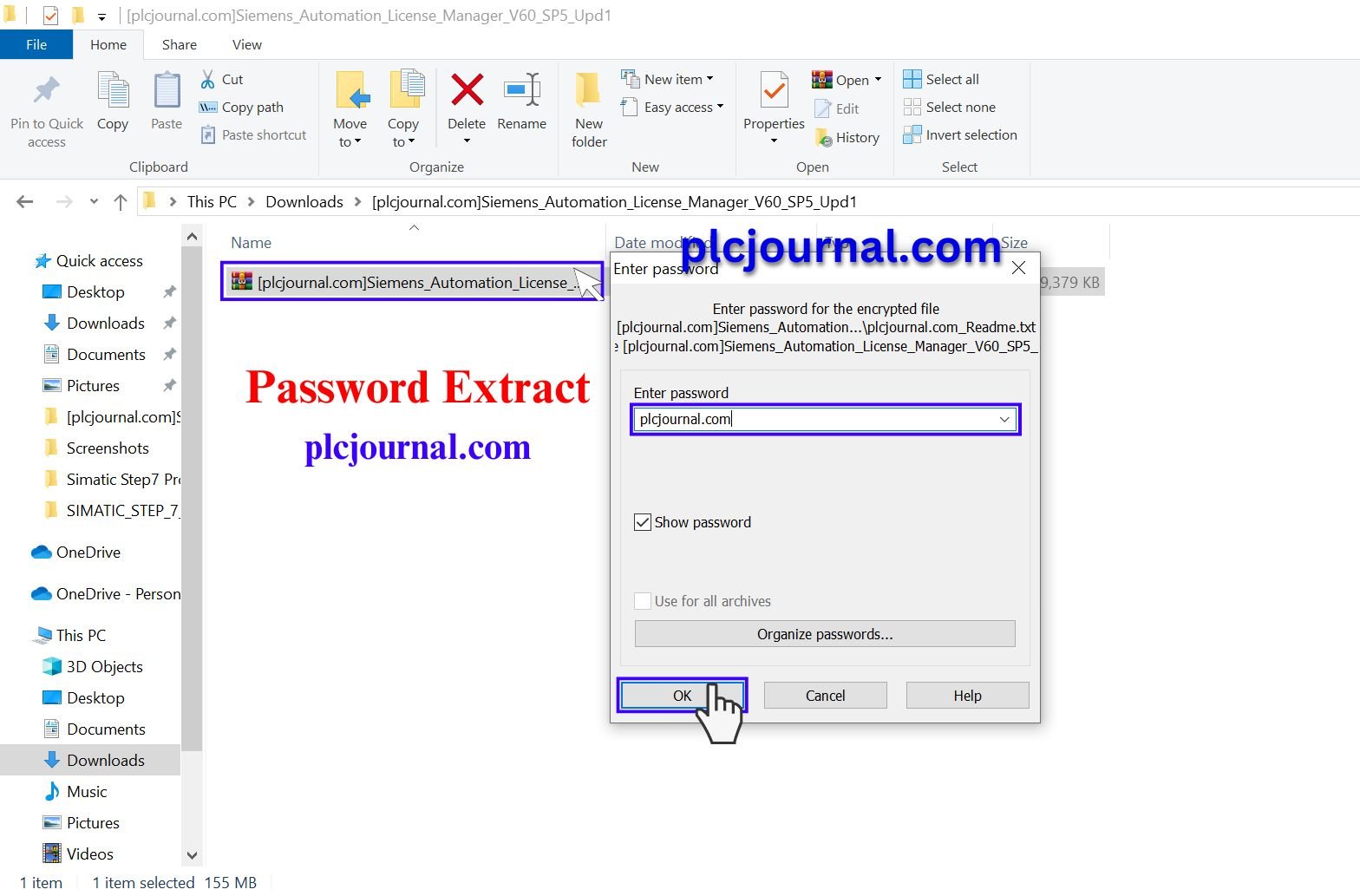
2: Then Click on the ok button with this password:plcjournal.com while extracting.
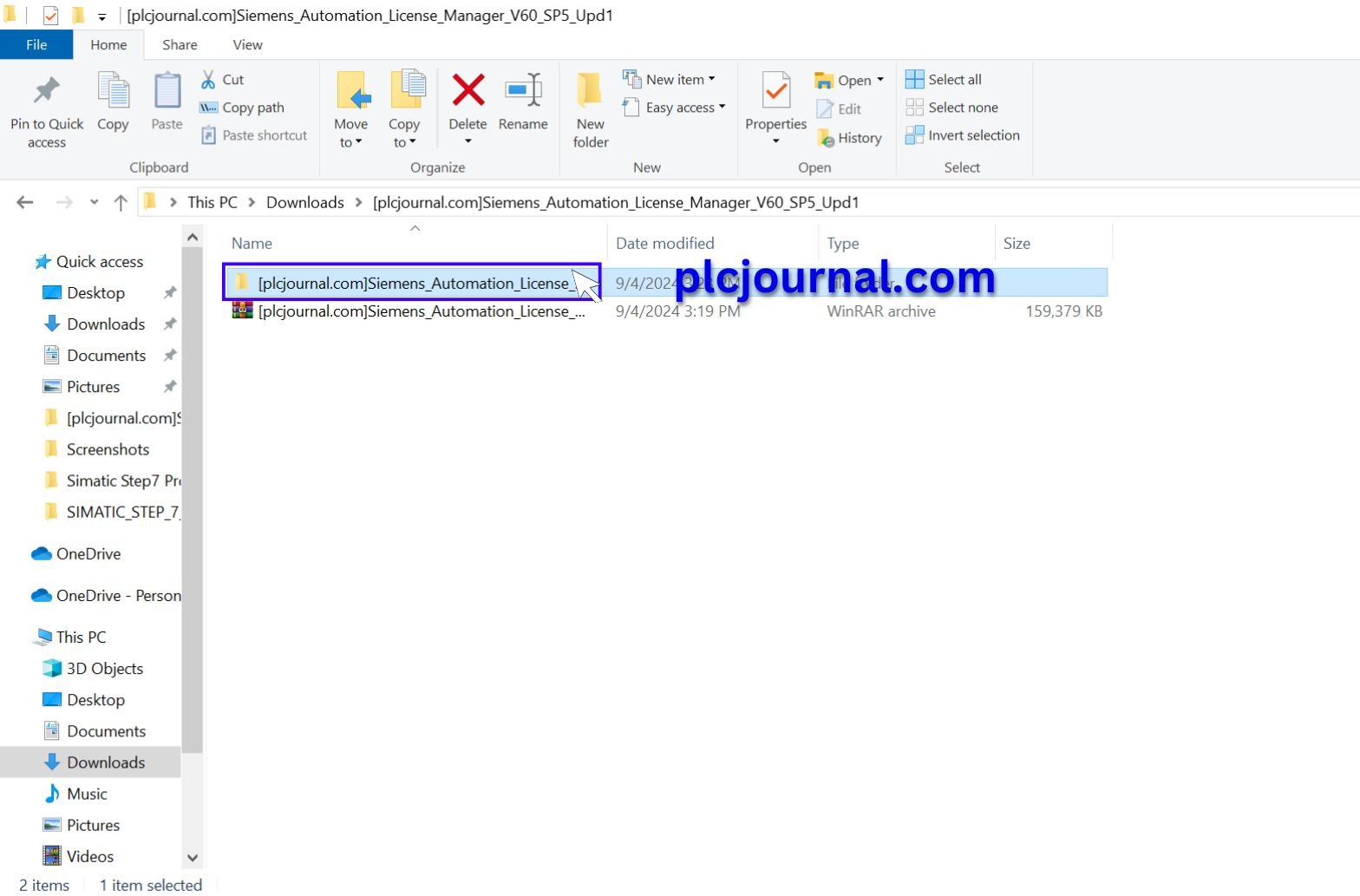
3: Then open the folder by double-clicking.
4: Then again open the folder by double-clicking.
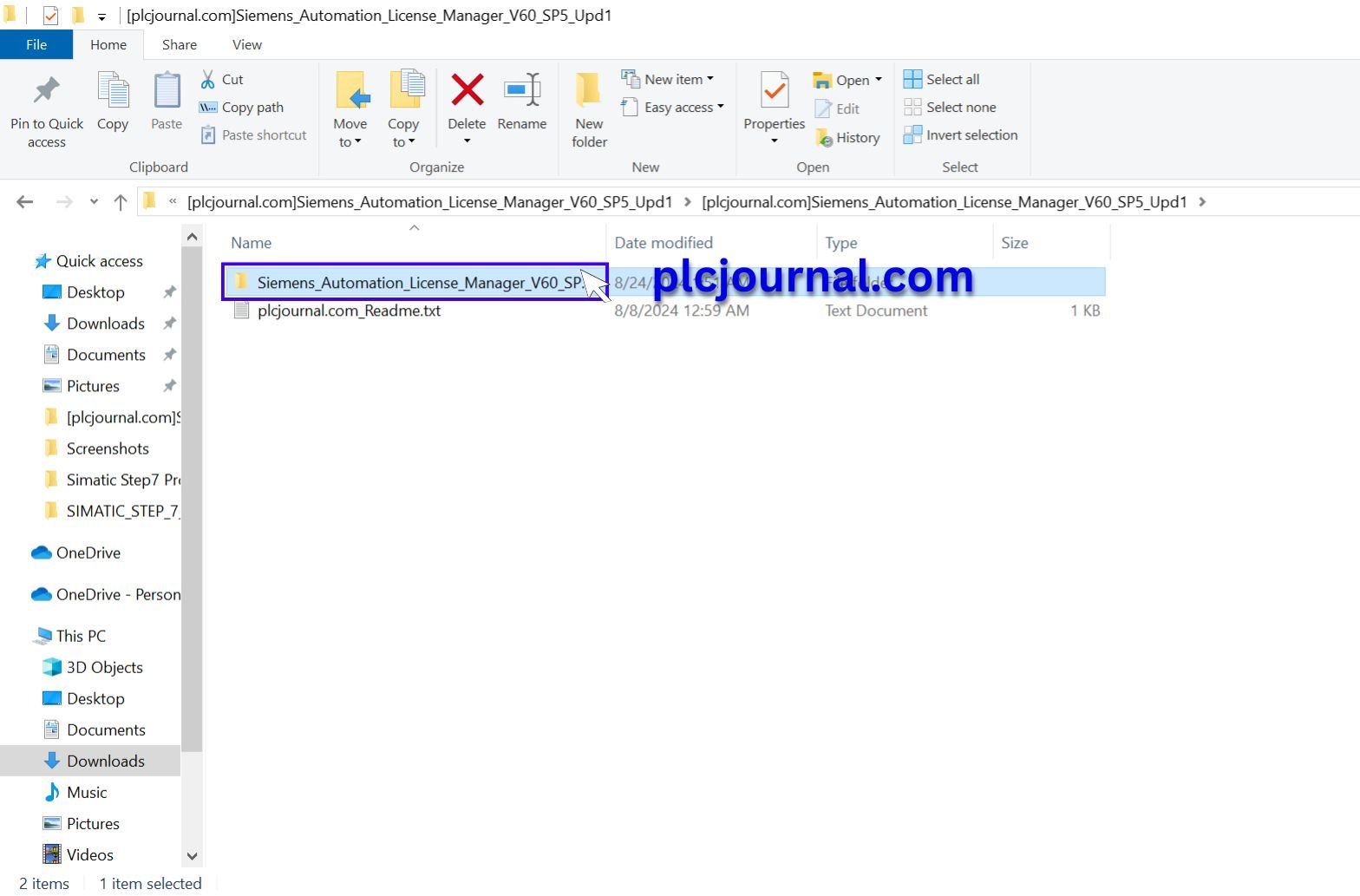
5: Run the Setup.exe file by double-clicking.

6: Then Click On the Next Button.

7:
- Select I accept the change to the system settings.
- Click On the Next Button.

8: Then Click On the Install Button.

9: Please wait while the InstallShield Wizard installs Automation License Manager V6.0 Siemens Software. This may take some time.

10: Yes, restart the computer now. Then Click On the Finish Button. plcjournal.com Highly Recommended to restart your computer.

11: Done! Your Automation Free Download License Manager_V6.0 Free Download Siemens Software is Ready.

Why Use ALM V6.0?
- Essential for Siemens software activation and updates
- Free and officially supported by Siemens
- Helps avoid license loss or corruption
- Works with both local and network-based license models
- Compatible with most Siemens PLC/HMI/SCADA software packages
Conclusion
The Automation License Manager V6.0 is an essential utility for anyone using Siemens automation software. It ensures your licenses are secure, easy to manage, and always available when you need them. By downloading ALM V6.0 from the Google Drive link provided, you can set up and maintain your Siemens environment smoothly.
Get started today and simplify your Siemens license management with ALM V6.0.

Free Download Automation License Manager V6.0 (Google Drive)
Password Extract: plcjournal.com




